
Skip to content
rakhesh.com

rakhesh.com

rakhesh sasidharan's mostly techie oh-so-purpley blog

  • Home
  • About
  • Quotes
  • Credits
  • Changelog
  • GitHub
  • X
  • LinkedIn
  • Mastodon (Hachyderm)
  • Mastodon (BSD Cafe)

Search

Subscribe via Feed

RSS | JSON

Categories

  • Asides (111)
  • Azure, Azure AD, Graph, M365 (222)
  • Books, Audiobooks, Podcasts (54)
  • Citrix (62)
  • Coding (33)
  • Docker (22)
  • Exchange, Exchange Online (49)
  • Gadgets (70)
  • Infrastructure (102)
  • Linux & BSD (68)
  • Mac (60)
  • Musings (52)
  • Networks (45)
  • Power Platform (41)
  • PowerShell (117)
  • TV, Movies, Music (79)
  • Virtualization (108)
  • Windows (271)
  • WordPress (11)

Azure Functions – connect to AzureWebJobsStorage using a Managed Identity

This is a regurgitation of the official MS docs you can find here and here. Thought I’d make a post so I can refer to it myself. I made a similar post earlier for Event Hubs.

The steps are straightforward.

  • Create a Managed Identity for the Azure Function.
  • Give it the Storage Blob Data Owner and Storage Queue Data Contributor roles on the Storage Account.
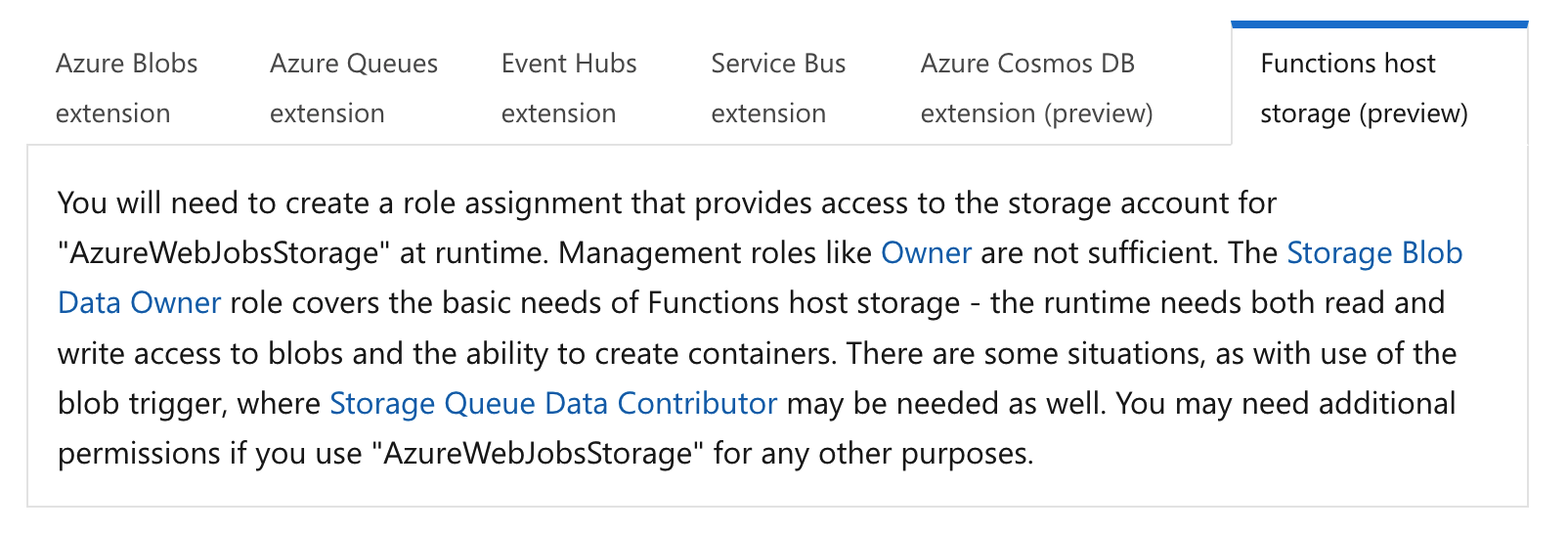
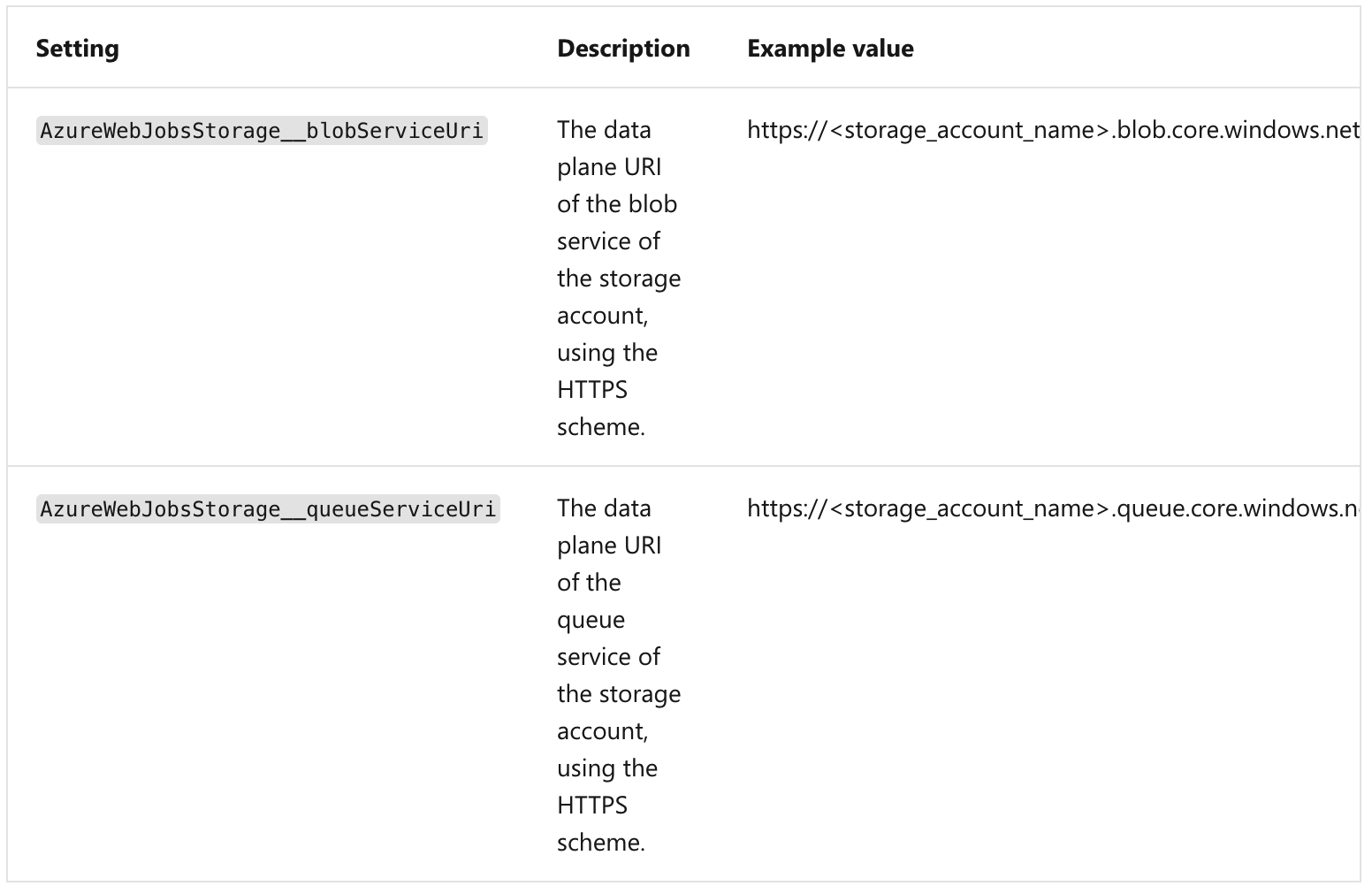
  • Change the name of the existing AzureWebJobsStorage configuration key to AzureWebJobsStorage__accountName. Change the value of this to be just the storage account name (e.g. storageacct1234). However, if your storage account isn’t using the default DNS suffix for some reason delete the AzureWebJobsStorage configuration key instead and create these two new:
Posted on December 3, 2021December 3, 2021Author rakheshCategories Azure, Azure AD, Graph, M365Tags functions, managed identities, storage account

Post navigation

Previous Previous post: PIM for Azure AD groups
Next Next post: True Story (TV series) – spare yourself!