
I have an automation that goes through the Graph audit logs API output for any Conditional Access policy changes. I noticed that the output for these had a few entries that looked like "excludeGuestsOrExternalUsers":{"guestOrExternalUserTypes":63, ...}
That made no sense. The valid values for guestOrExternalUserTypes should be one or more of of none, internalGuest, b2bCollaborationGuest, b2bCollaborationMember, b2bDirectConnectUser, otherExternalUser, serviceProvider, unknownFutureValue according to the documentation.
Looking at one of the policies it had the following selection in the “Exclude” section:
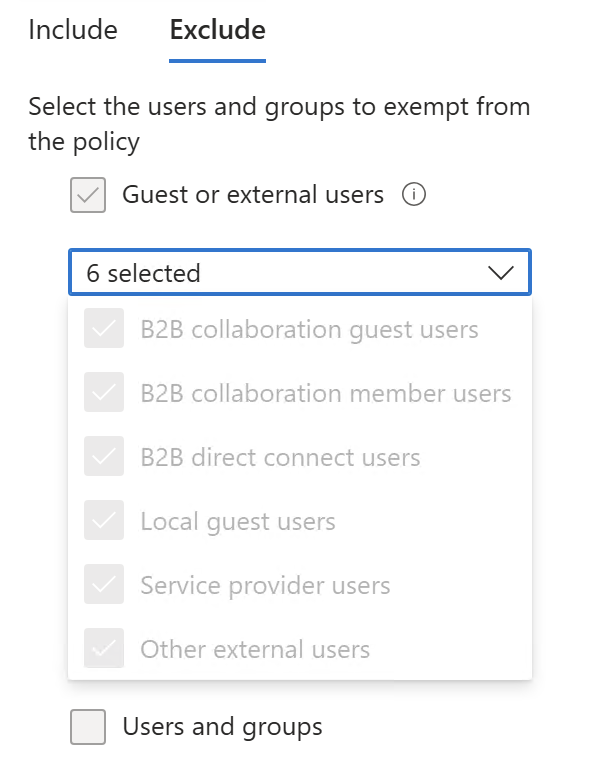
This wasn’t any PowerShell or API shenanigans either, as the Entra ID portal too showed the same. I could have sworn this used to show text instead of numbers…

I couldn’t find any info on where this number was coming from. The modifiedProperty value where this JSON is located comes from the service in question, so the docs didn’t have anything either.
To figure out what’s happening I created a new policy and started fiddling with the values.
First I selected just one:
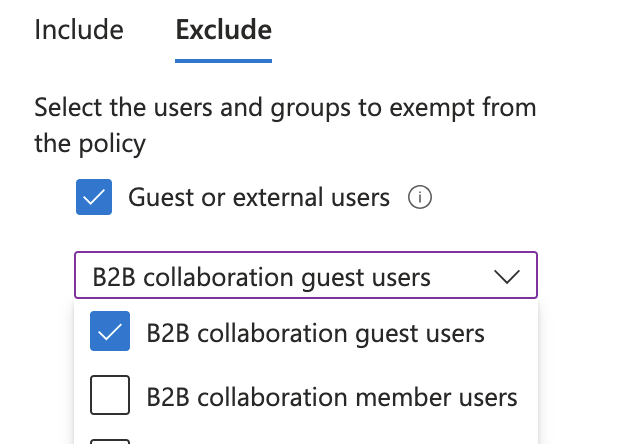
This resulted in "excludeGuestsOrExternalUsers":{"guestOrExternalUserTypes":2, ...}
Then I unticked that and selected the second option.
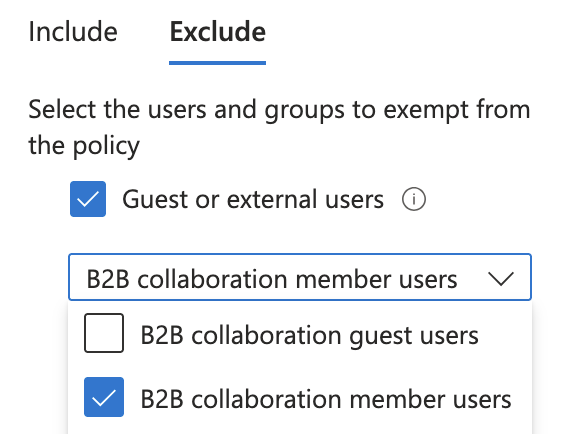
Weirdly now I get the text.
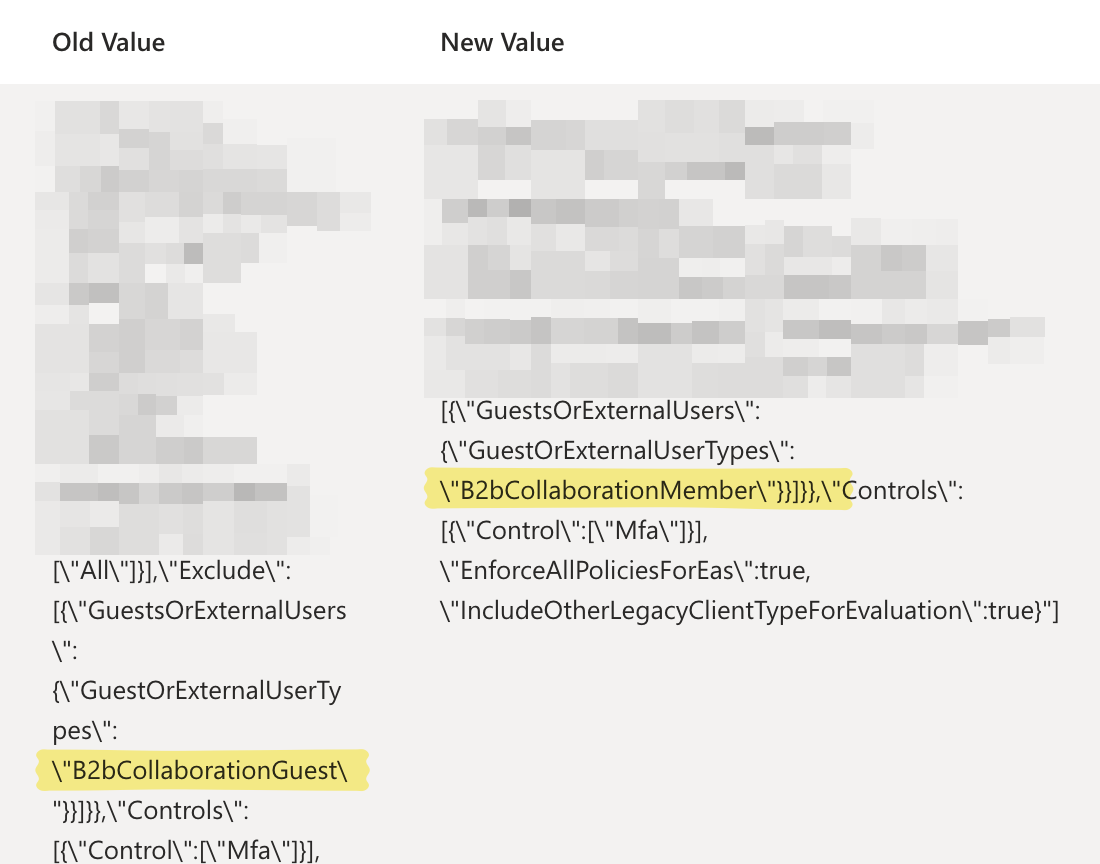
I made one more change:
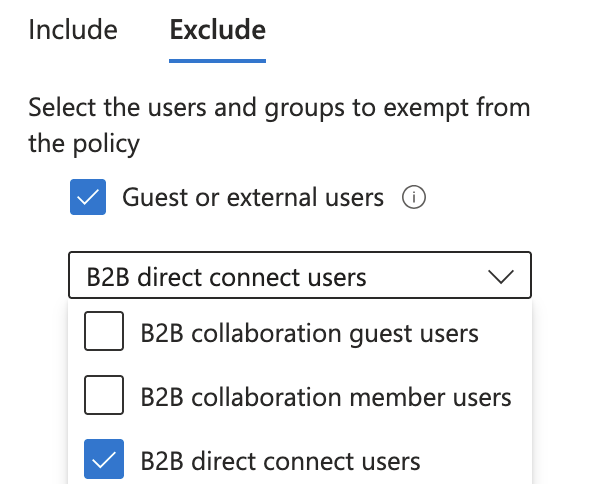
And this time it’s numbers. Huh?!
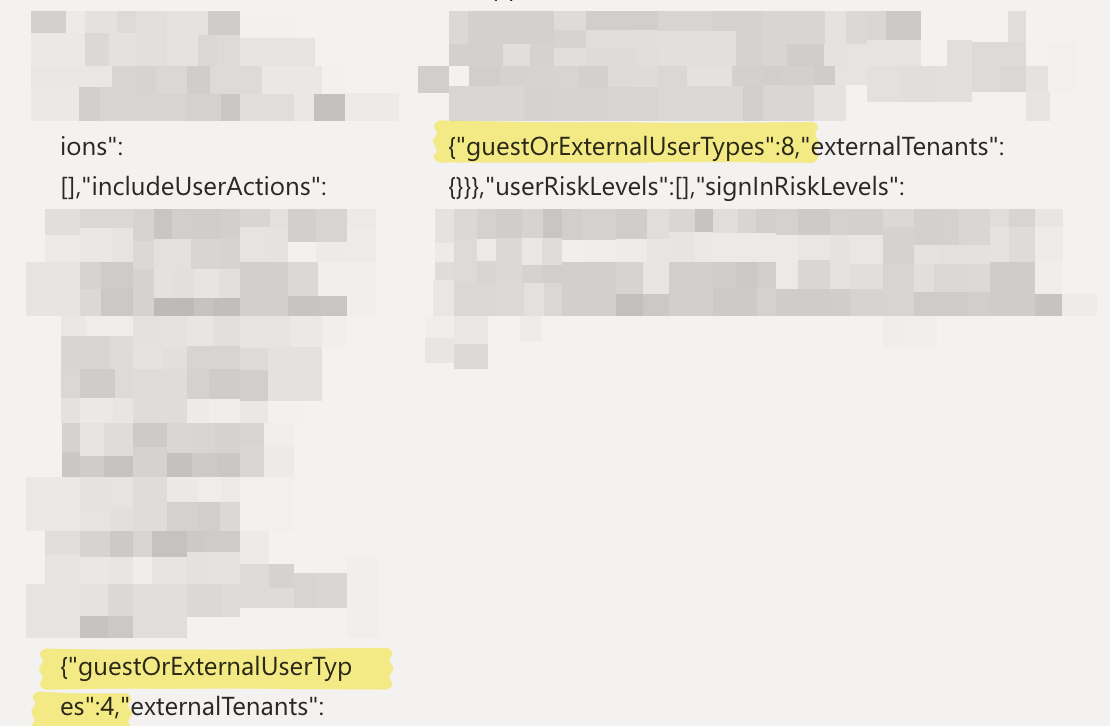
Then I realized something… here’s what I see in the Audit Logs in the portal. Notice that for each addition/ update there’s three set of entries.
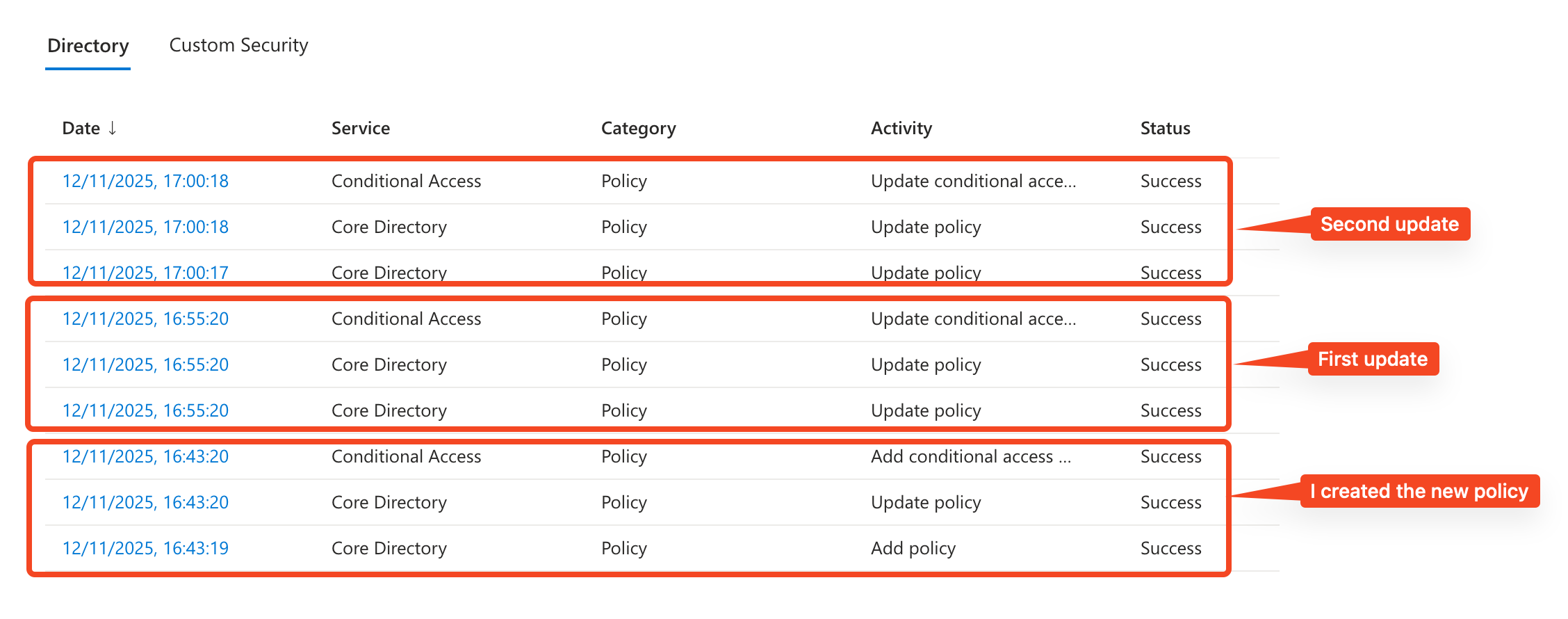
I should either (obviously) focus on the “Add conditional access” and “Update conditional access” entries, or “Add policy” and “Update policy” entries. In my PowerShell code I was only looking at events generated by the “Conditional Access” service, so I was only seeing “Add conditional access” and “Update conditional access” entries, but here in the GUI I first looked at “Add conditional access” and next time looked at “Update policy” instead of “Update conditional access”.
Silly me! (In fairness, the “Update conditional access policy” entries are generated last, and I was just looking for any entry with an “Update” in it…)
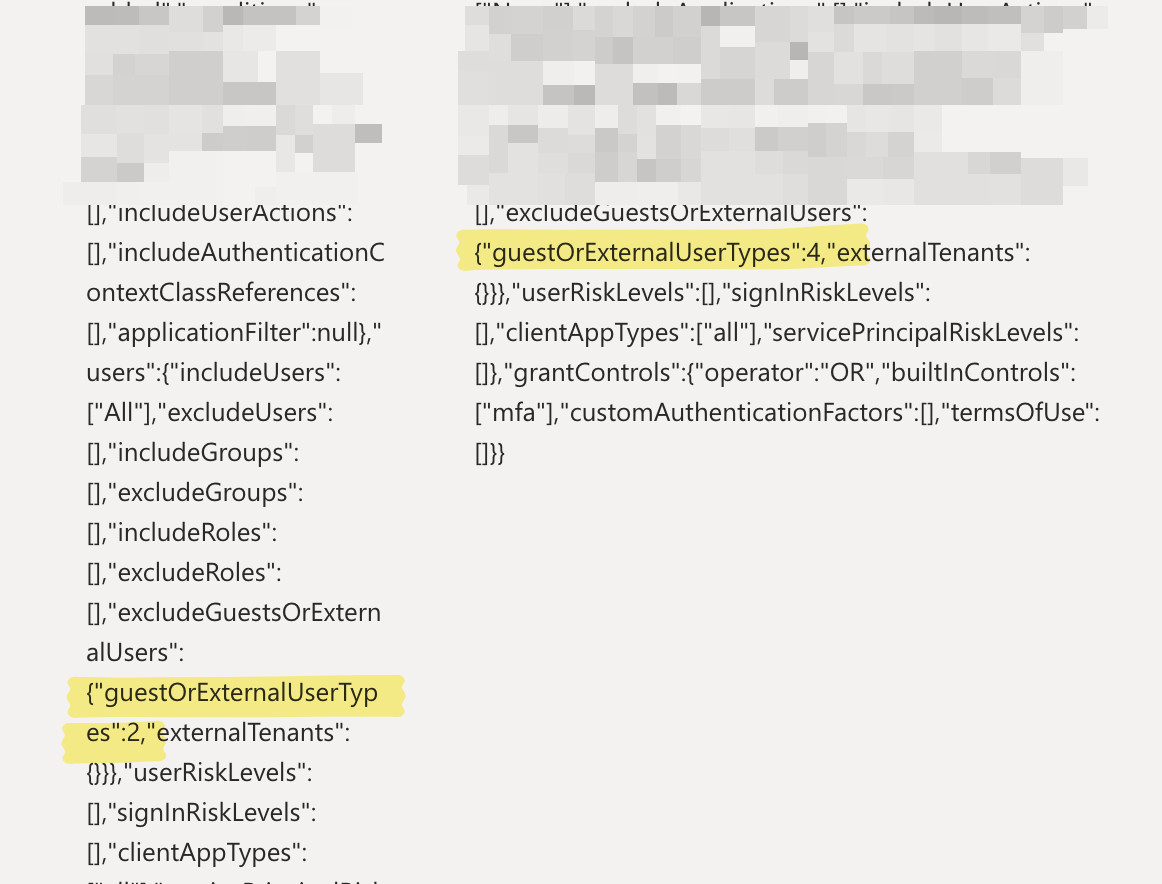
Looking at the correct entry for the first change I made, I see numbers:
Cool. Time to put this down in a table:
|
B2B collaboration guest users
|
2 |
|
B2B collaboration member users
|
4 |
|
B2B direct connect users
|
8 |
|
Local guest users
|
1 |
|
Other external users
|
16 |
|
Service provider users
|
32 |
So that explains the 63. If all of the above are selected, then the sum of these numbers is 63. ☺️
Wrote a little PowerShell function to translate the number into the selections:
|
1 2 3 4 5 6 7 8 9 10 11 12 13 14 15 16 17 18 19 20 21 22 23 24 25 26 27 28 29 30 31 32 |
function TranslateNumber-ToExternalGuest { [CmdletBinding()] param( [Parameter(Position=0,Mandatory=$true)] [int]$InputNumber ) $externalUsersHash = @{ 1 = "Local guest users" 2 = "B2B collaboration guest users" 4 = "B2B collaboration member users" 8 = "B2B direct connect users" 16 = "Other external users" 32 = "Service provider users" } if ($inputNumber -in $externalUsersHash.Keys) { $guestSelections = $externalUsersHash[$inputNumber] } else { $guestSelections = foreach ($number in 32,16,8,4,2,1) { if ($inputNumber -ge $number) { $externalUsersHash[$number] $inputNumber = $inputNumber - $number } } } $guestSelections } |