
There’s plenty of blog posts on this topic, so I won’t go into the basic details. We often have admin accounts in Entra ID that must receive emails, but there’s no point wasting a license on a mailbox for this. What do we do here?
Easy. Use Plus Addressing. What plus addressing means is that every mailbox enabled user also has a “+<whatver>” suffix they can use as an email address. That is to say, if my email address is abc@mydomain.com, if plus addressing is enabled I can receive emails at abc+123@mydomain.com, abc+xxx@mydomain.com, abc+laksdasd@mydomain.com, and so on…
Nothing new about this concept, and this is something one commonly uses in Gmail etc. when handing out email addresses to a website. Use a plus address so you know which website is then spamming you, plus you can create rules to put them into separate folders etc.
To use this in admin accounts in Entra, assuming it is setup in the organization, all we need do is add a plus address to the admin account.

Now any service sending an email to the admin account by looking up its mail attribute will use the plus address you put in there, and Exchange Online will route that email to your regular account.
Things get a bit tricky when it comes to external emails, including notifications from Azure and Entra ID. If you have something like Mimecast which is the mail processor for external emails, you need to enable plus addressing there too. Mimecast calls it Sieve Sub Address policy (named after the RFC). Instructions are in their documentation, and here’s what I did.
First off, if you use Mimecast AAA then the steps below must be done there, not on the Federated instance.
It is possible to enable plus addressing on the Mimecast side for everyone, but we opted to do it for a few users. Mainly our admin accounts. So we created an address group to hold these addresses.
Go to Users & Groups > Policy Groups > Create a new group.
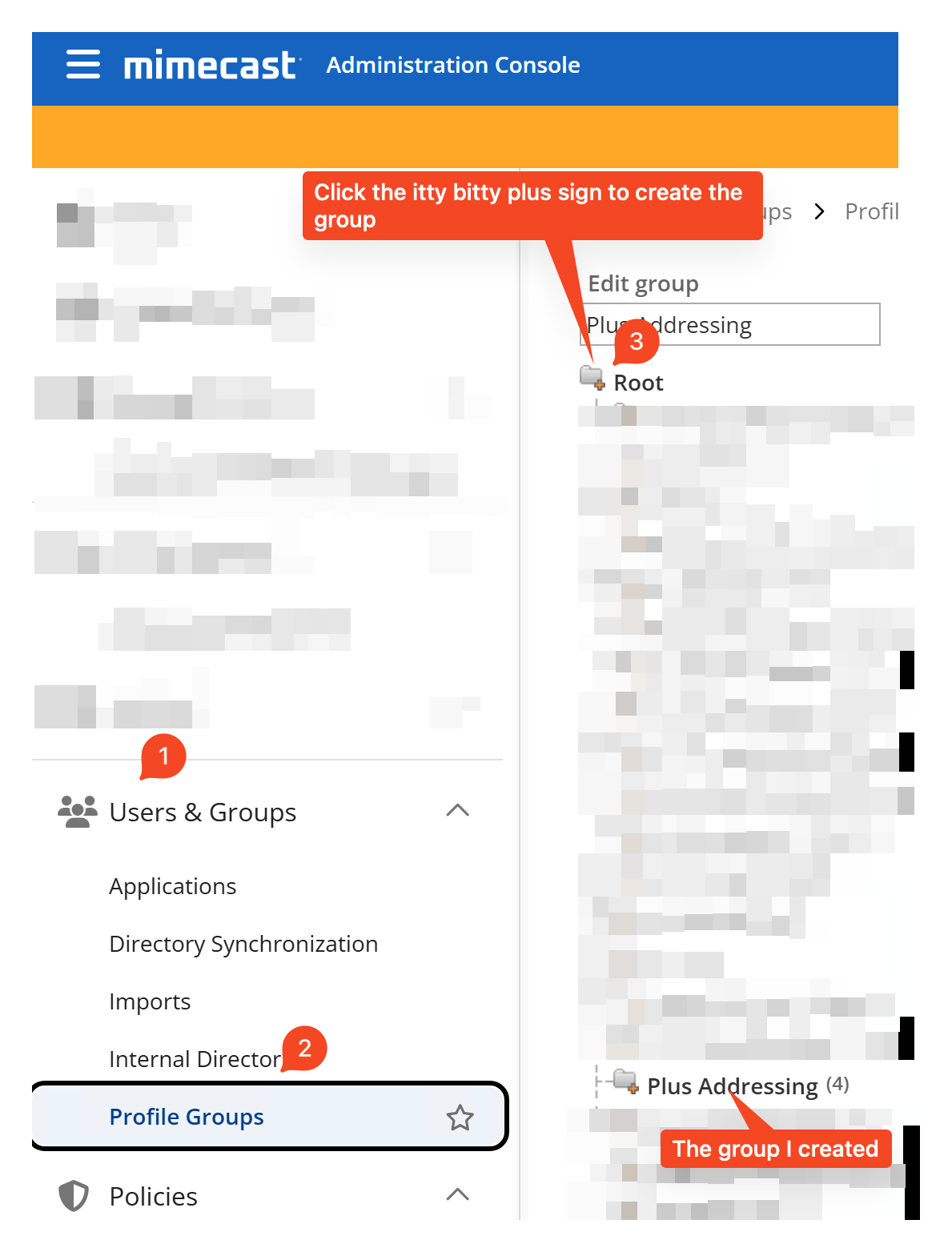
In that add the addresses. The document is a bit confusing, but through some trial and error what we discovered is that you must address both the plus address(es) you want to allow, and also the user’s default address. So, for example, if I want to allow abc+def@mydomain.com I must add both abc+def@mydomain.com and abc@mydomain.com here. Add any number of plus addresses, but they won’t work unless the base address too is present.
Then go to Policies > Gateway Policies > Select Sieve Sub Address.
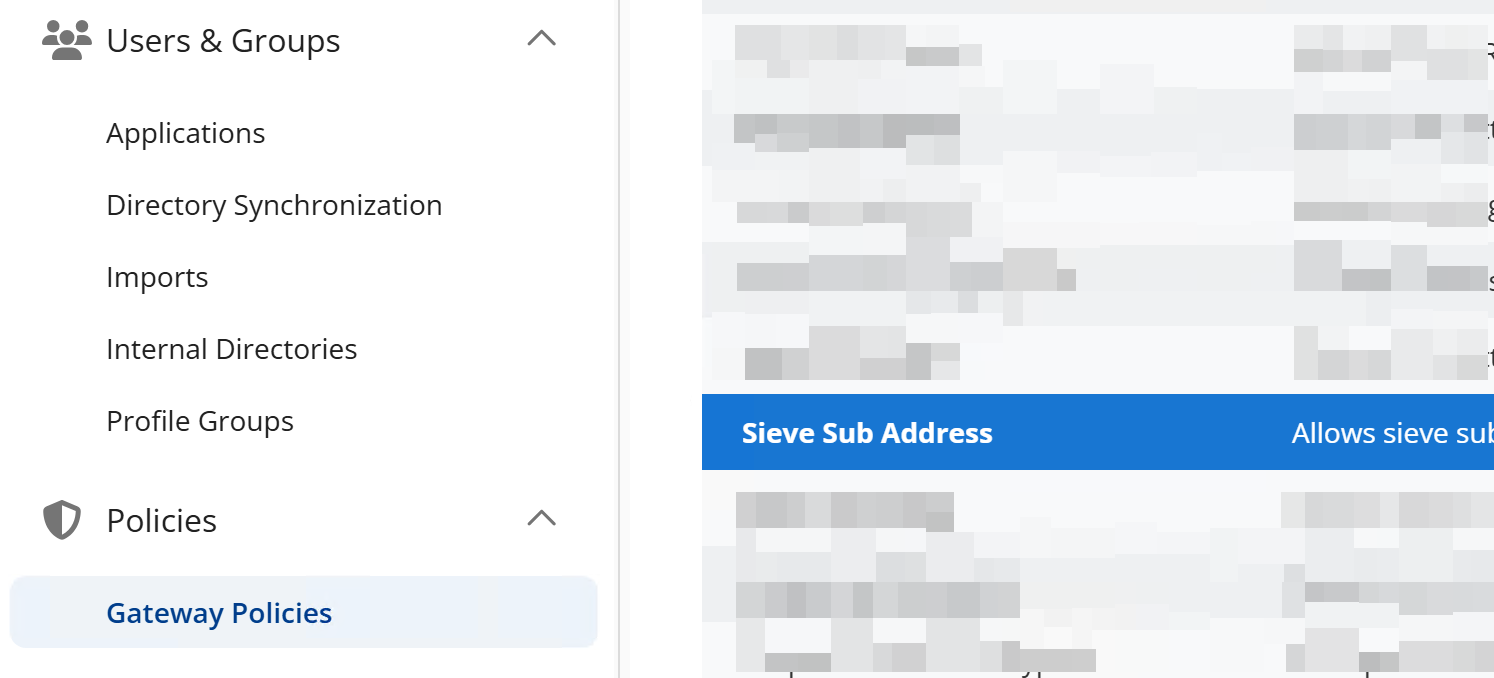
Create a new policy here. Give it a name, and in the “Emails To” section select the group we previously created. Below is a screenshot from our setup:
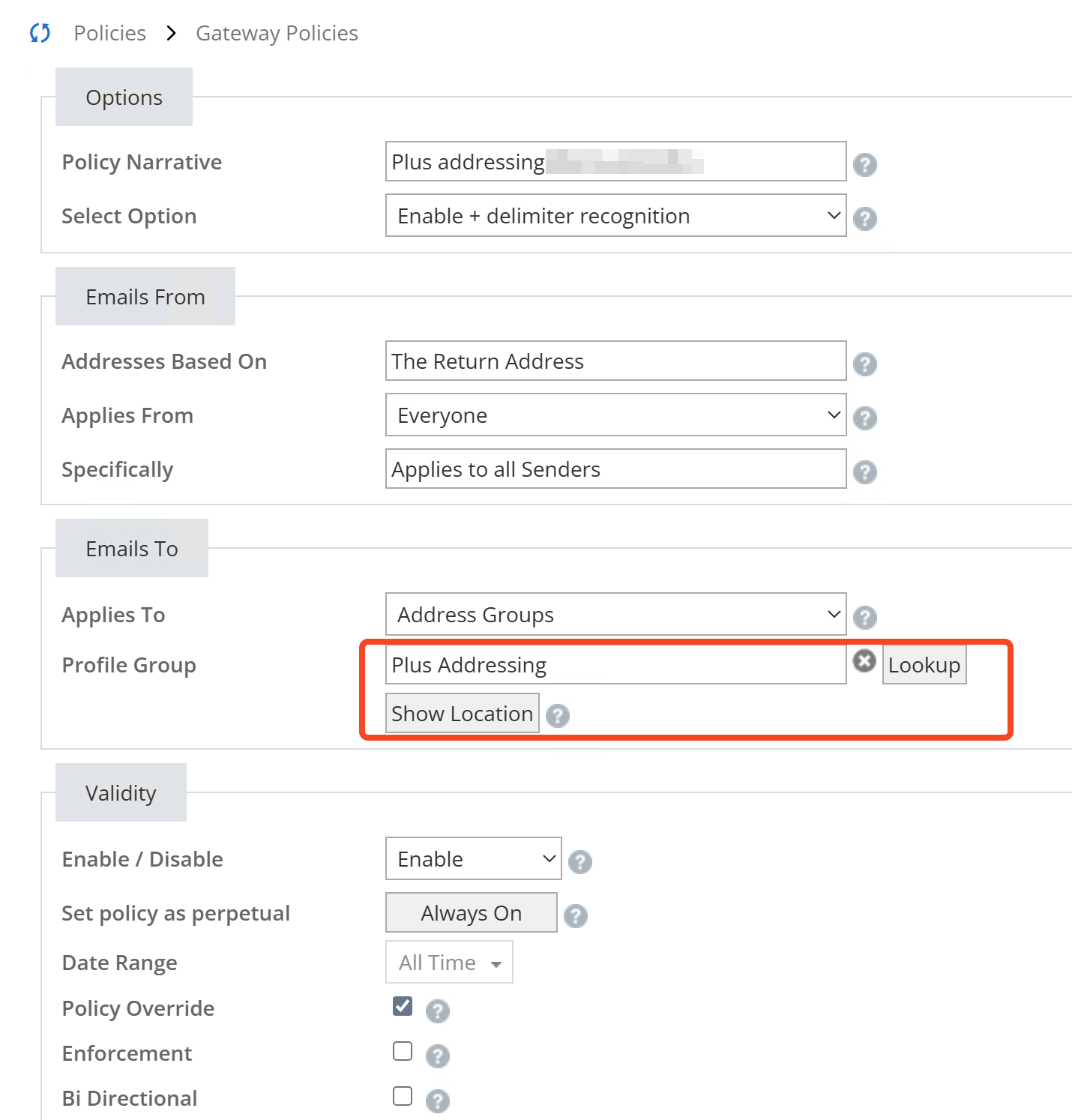
Mimecast is neat in that it supports two types of plus addresses, and for each of these it can also strip out the plus address bit and send to the backend system in case that system doesn’t know of plus addresses. So if Exchange Online didn’t support it, we could have still used it for external emails thanks to Mimecast.
We went with “Enable + Delimiter Recognition” which enables plus addressing of the sort I showed above, and doesn’t strip the plus address bit.
Save it, and that’s all really! Now plus addressing works for external emails too. We tested this by sending emails to the admin accounts internally and externally by typing out the full plus address rakhesh+admin@thesyndicate.com, as well as assigning the admin account an Entra role to get Entra ID to generate an email. This came though, confirming that Entra uses the mail attribute we added to the admin account, and the email flows through Mimecast and is delivered.