
Maybe it’s always been the case, or maybe it changed some time ago but I never used this connector much and so didn’t realize… anyhoo, using the “Invoke an HTTP request” connector from a Logic App/ Power Automate to connect to Graph throws an error now:
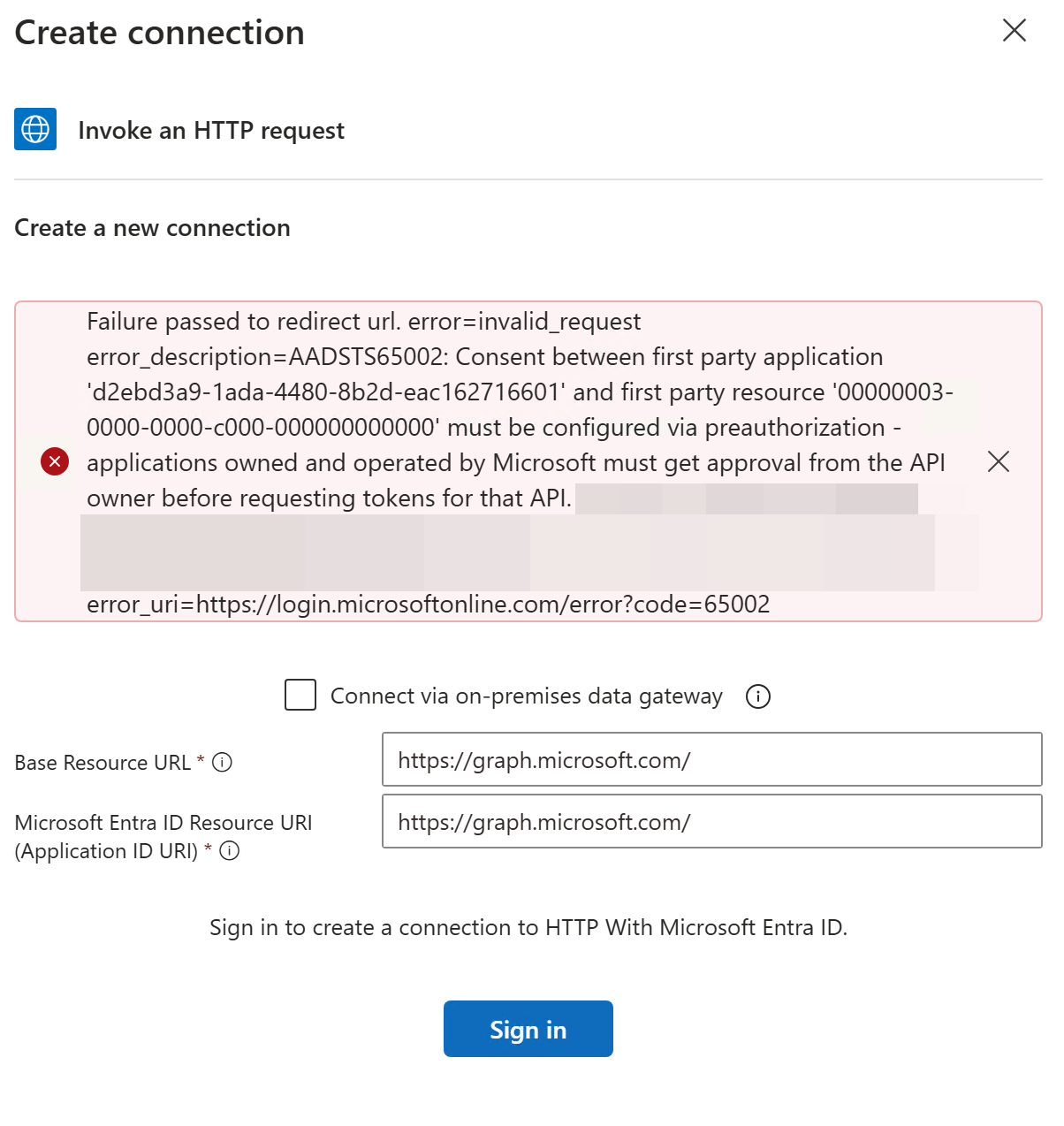
Reading the docs for this connector, there is a section on how to authorize it. You have to download a script from GitHub and run it as Global Admin.
What the script essentially does is search for the Power Platform App Id mentioned above (d2ebd3a9-1ada-4480-8b2d-eac162716601) and if it does not exist, create it. Then it gives a list of first party apps (Graph, SharePoint Online, etc.) and asks you to choose the one you want to allow access to. After that, you can choose the scopes you are interested in granting access to. It’s pretty neat, and nice of Microsoft to provide such a script.
If you want to avoid all this though, there’s a variant of the above connector that is preauthorized.

Fill that as as below, and it works.
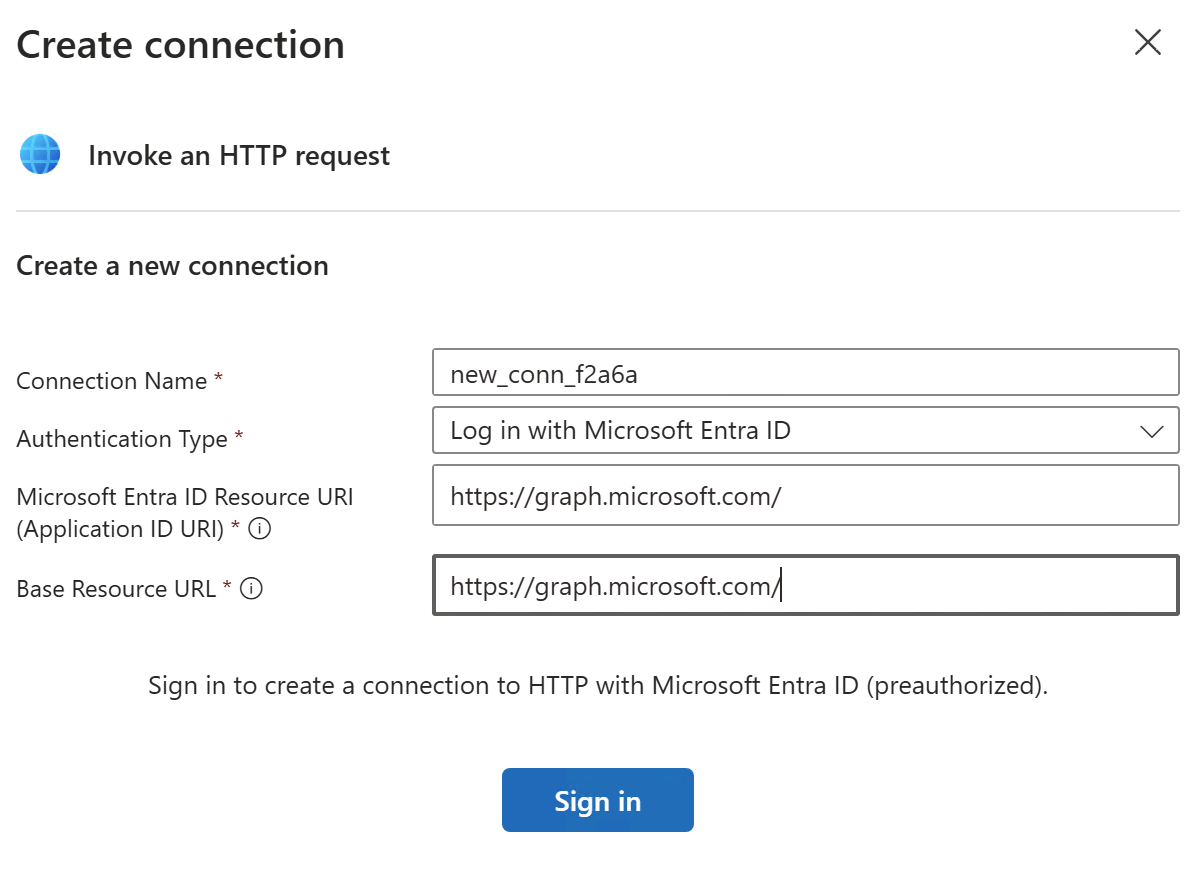
From the documentation, it sounds like this one too is limited to a number of applications and scopes; and anything extra will require use of the non pre-authorized connector and script.