
Encountered a red-herring of an error today. A colleague shared a Power App with another colleague and got the following:
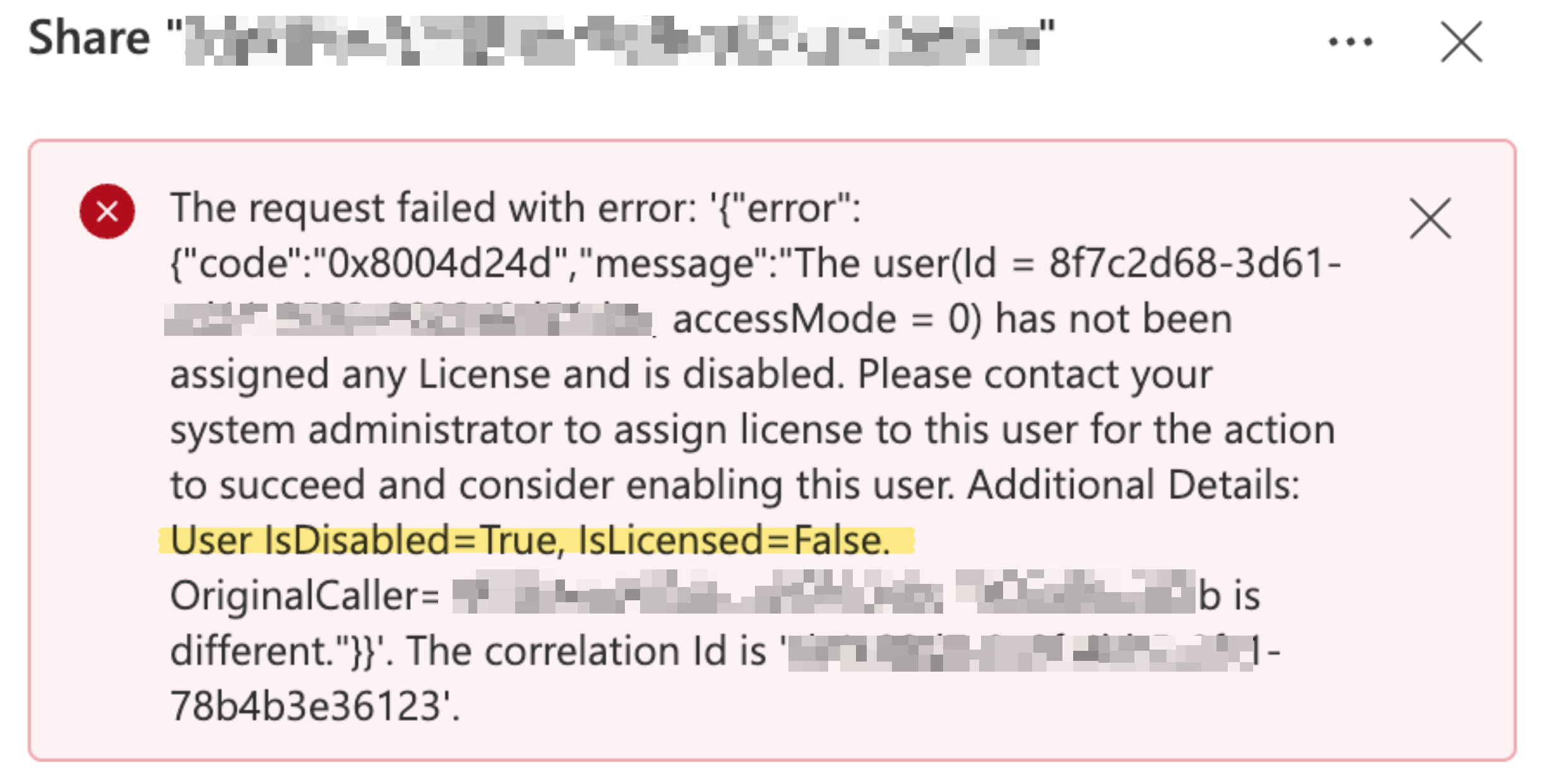
The user in question was indeed enabled and licensed. Also, interestingly, the user Id in the error didn’t match that in Entra ID (but then I guess it must be the Id of the object in Power Platform itself).
Even though my colleague got an error, when he looks at the “Share” pane the user is added there. But the user still can’t access the app.
Googling on this gave such amazing forum posts as this one stating the obvious. But I put my thinking cap on and tried to get to the bottom of the issue. 😊
If I create a dummy app and share it with the user, it works. But it wasn’t working or my colleague with his app.
The user in question was present in the environmnent under the list of users. But I noticed that the user didn’t have any Power Platform environment role assigned to him and I wondered if that mattered. My dummy app was just a new canvas app in the Personal Productivity/ Default, but my colleague’s app connected to SharePoint etc. and in an environment with Dataverse enabled. I know the “Basic User” role usually matters, so I took a look at that role in the Personal Productivity environment and he had that (not just him, everyone who had access to the environment had the role). So I granted the same role to him in the other environment, and now sharing works! (And for good measure I also granted that role to everyone who had access to the environment – which you can find by clicking “Edit” on the environment in Power Platform admin centre).
What a red-herring of an error!