
One problem with using a custom connector with OAuth2 authentication is that you need to add it to your solution and while you set a secret when creating it, that isn’t captured when you export it (which makes sense, sensitive stuff after all).
Not a problem, one can use environment variables for it I suppose. Looks like I can add it like this (screenshot is from the previous link):
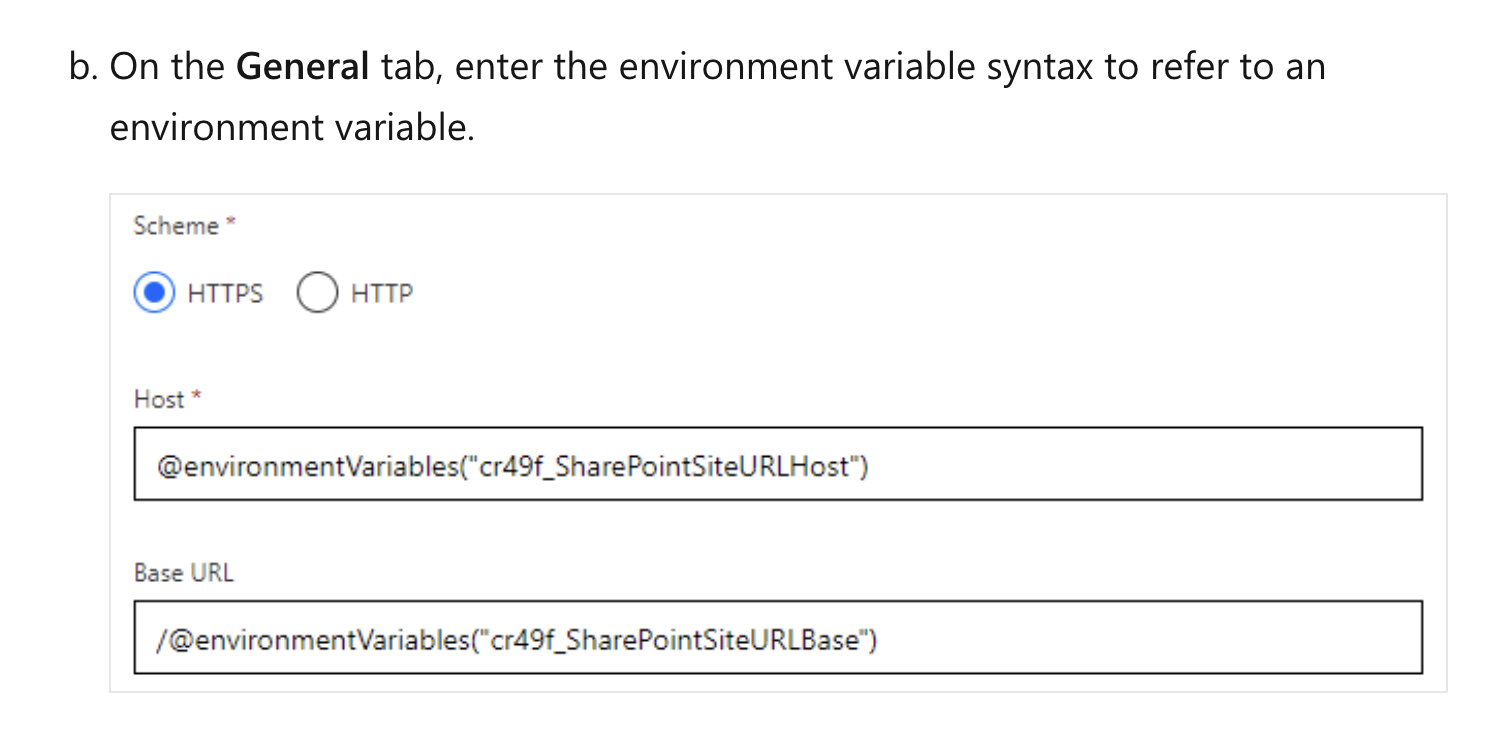
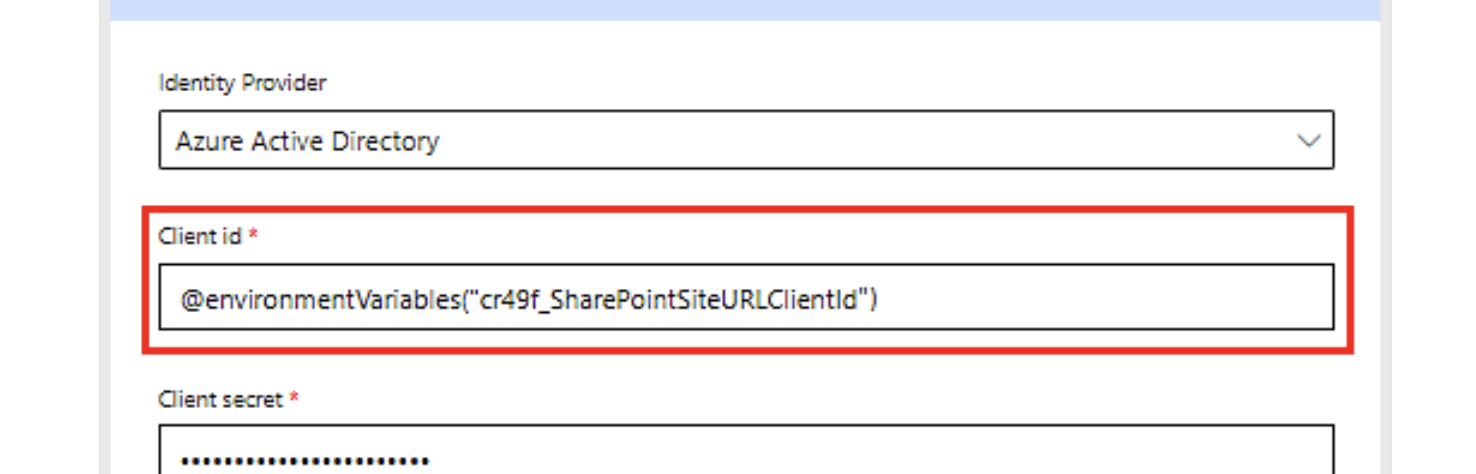
Looks like I can use it for client secrets too (the screenshots don’t show it explicitly) but sounds like I can do it.
In fact, the recommendation is to use a Key Vault for it, so let’s try it out!
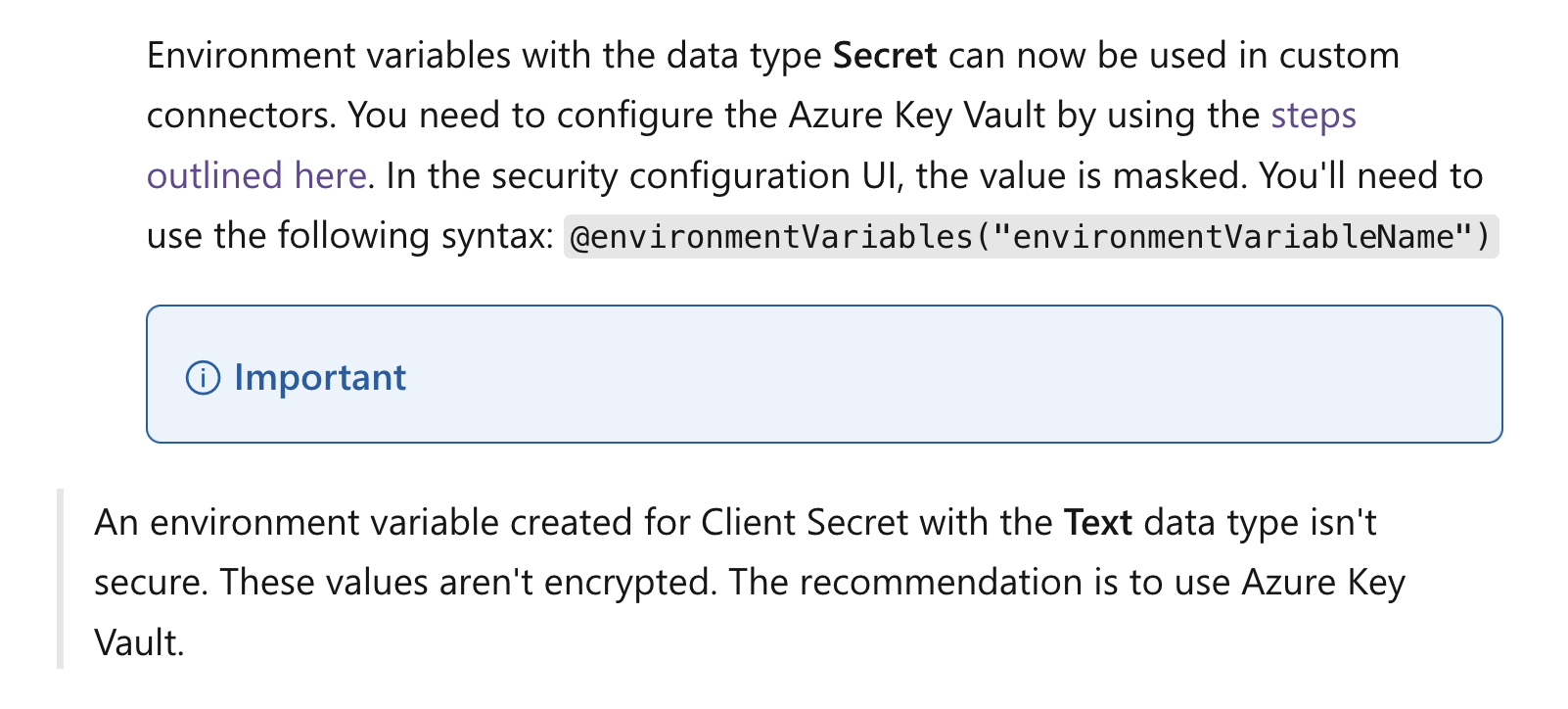
Here’s a Microsoft link with the steps. Key steps are:
1) Register the Microsoft.PowerPlatform resource provider in your Azure subscription. 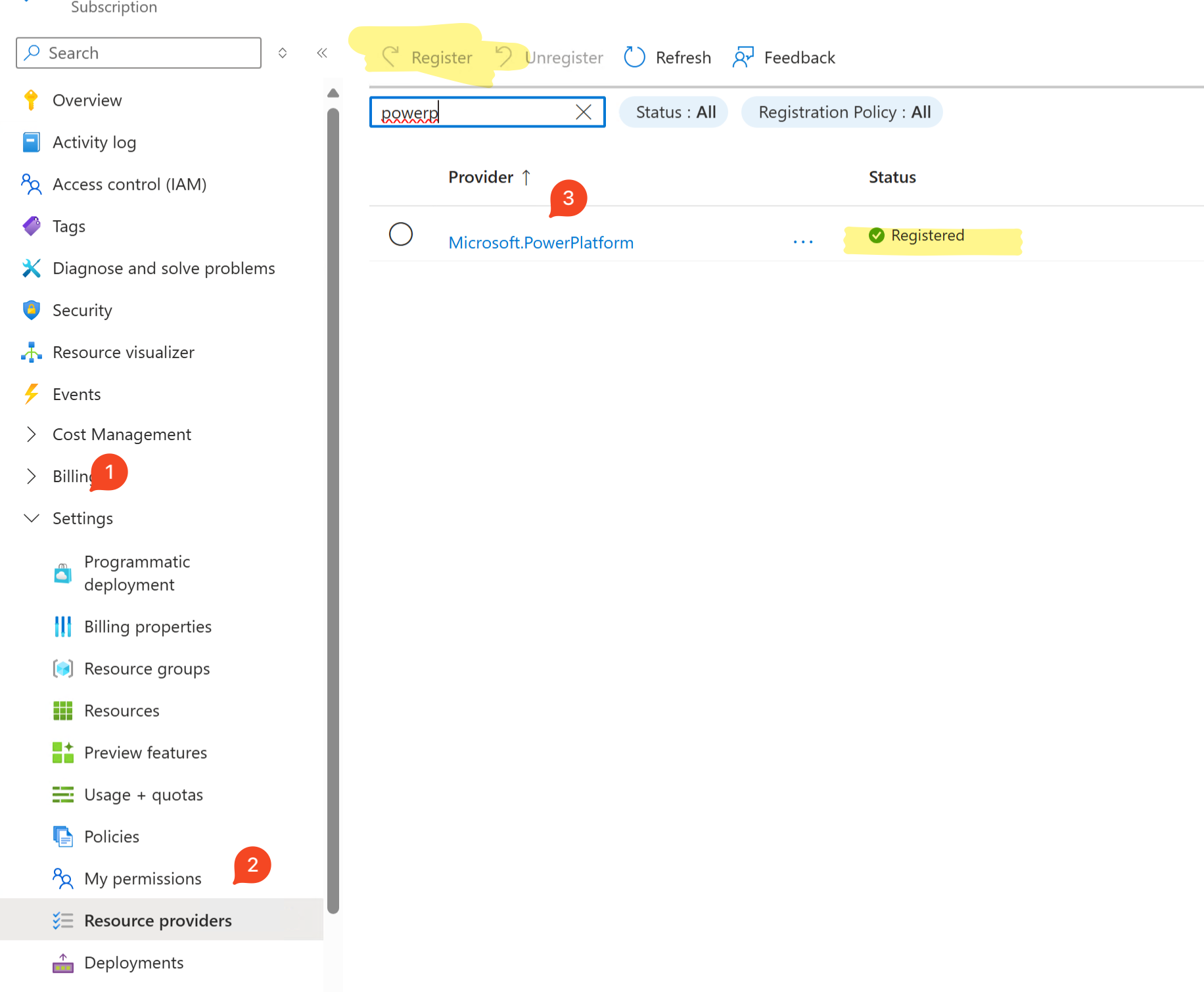
2) Then create a new Key Vault. This uses the Azure RBAC model rather than the Key Vault access policies.
3) Add the Dataverse service principal with “Key Vault Secrets User” user.
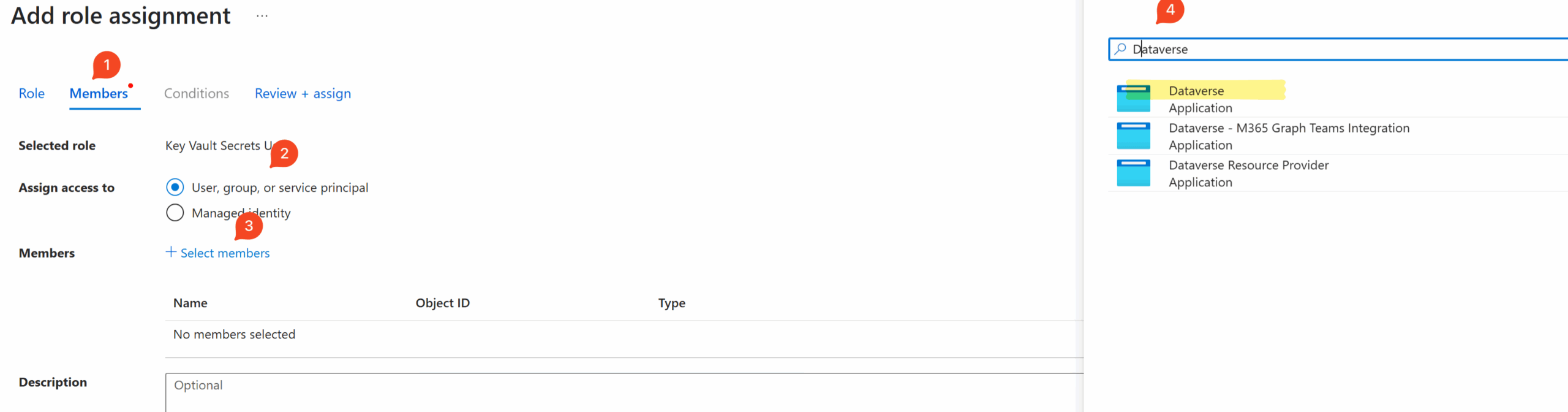
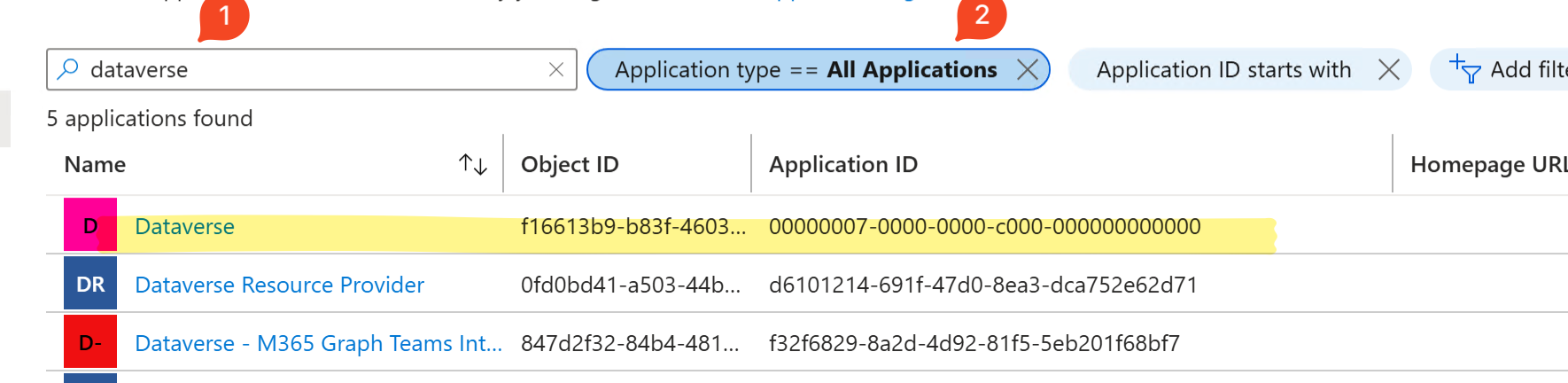
Not sure why I have three of them! But the docs say the one with App Id 00000007-0000-0000-c000-000000000000** is what we must use. So I went to Entra ID > Enterprise Applications > selected “All Applications” and searched for “Dataverse”. This confirmed that the first one in the list is the one to use.
4) Grant yourself the “Key Vault Secrets Officer” role, and create a new secret.
5) In Power Apps, in the solution, add a new Environment Variable, and set the Data Type as “Secret” and Secret Store as “Azure Key Vault”.
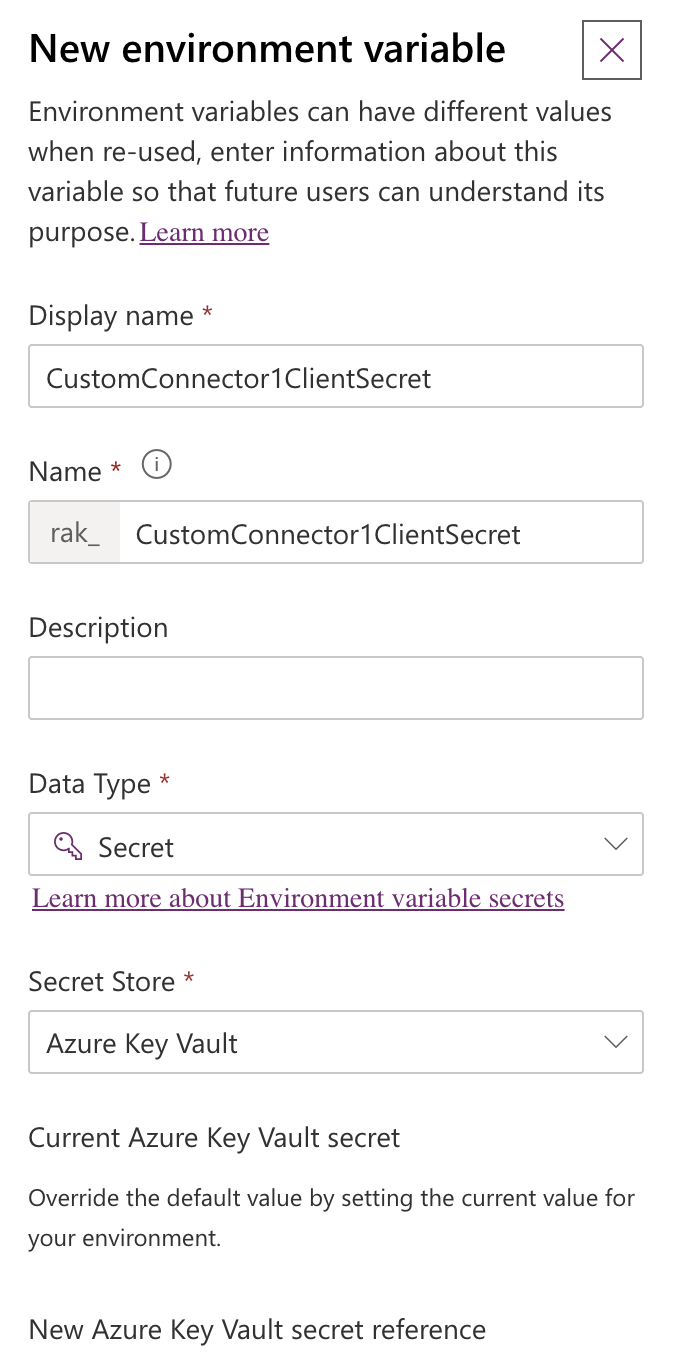
Also fill the subscription id, resource group etc.
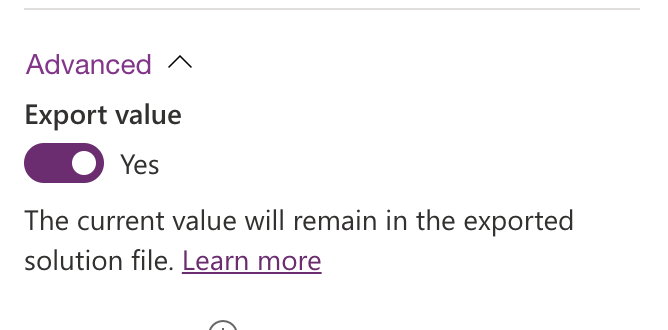
I also allowed it to be exported.
And click Save.
And then of course I got an error! 🙄 “This variable didn’t save properly. User is not authorized to read secrets from ‘/subscriptions/xxxx/resourceGroups/yyyy/providers/Microsoft.KeyVault/vaults/zzzz/secrets/clientSecret’ resource.”
I suspected this might be a permission issue, so I gave the Dataverse service principal the “Reader” role on the resource group itself. The resource group was just for this Key Vault (and any more like these in the future) so I was fine with with.
Click Save again and this time I got a different error! “This variable didn’t save properly. Cannot complete the creation of EnvironmentVariableDefinition because it violates a database constraint. The violation happens on the key schemaname: rak_CustomConnector1ClientSecret. Please delete the existing record or use update.”
Hah, so it reads it now, but looks like the previous save created a record and this thing is conflicting with that? So I changed the name and tried again.
But no, that didn’t work either. Now I got the first permission error again.
Then I noticed this bit in the same link:
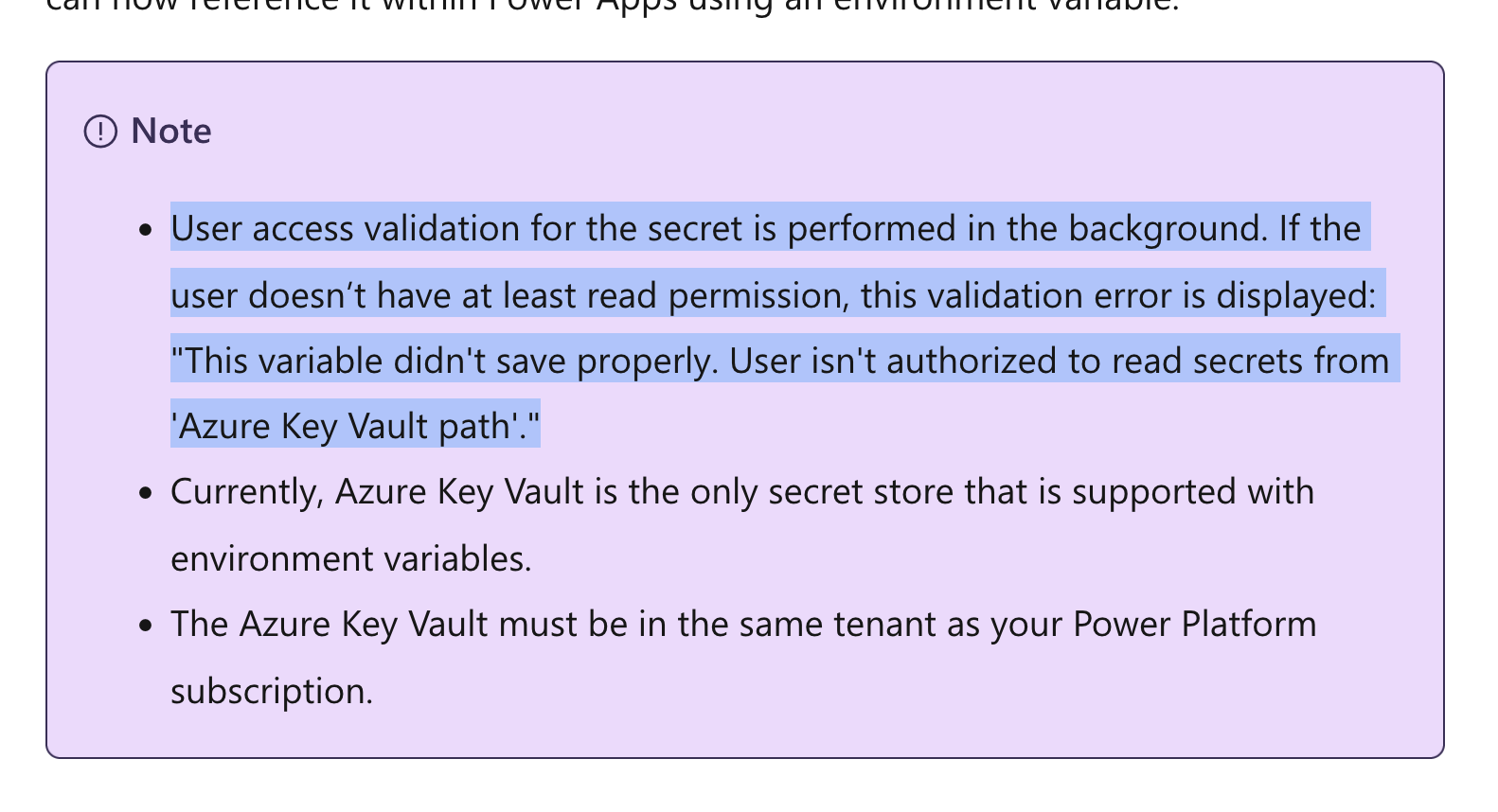
Huh, what does “user access validation” mean? Is that the Dataverse service principal from before, or am I supposed to add the account I am creating the environment variable with too?
I re-read the instructions and realized: 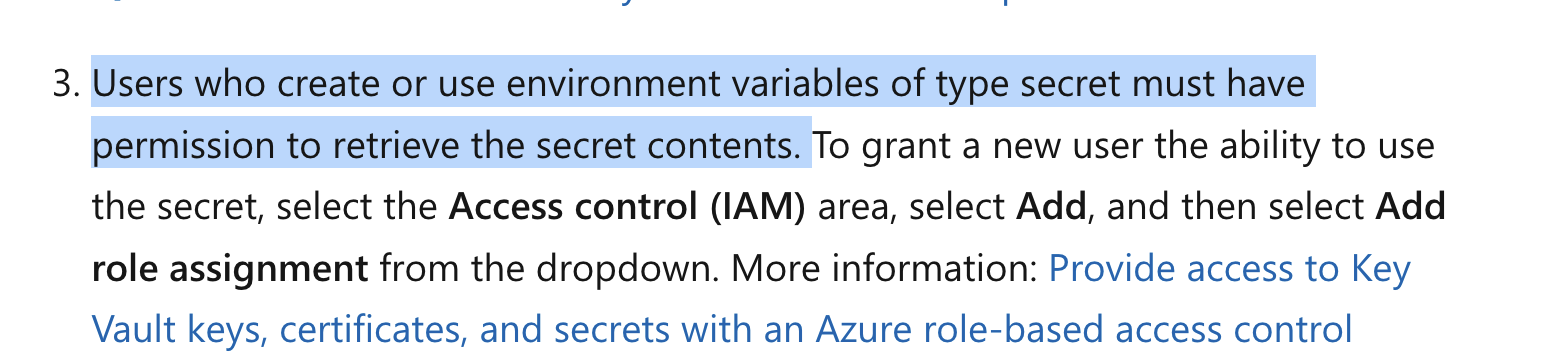
Ah, I missed that! So I must add the account being used to create the environment the same Key Vault Secrets User role. Wonder if I should add anyone else coz it also says “users who create or use…”
Now the Save works.
Then I went to the custom connector in the solution, edited it, and changed the client secret in OAuth2 to be @environmentVariables("<secretName>"). This is the name to use (the Name column, not the Display name):
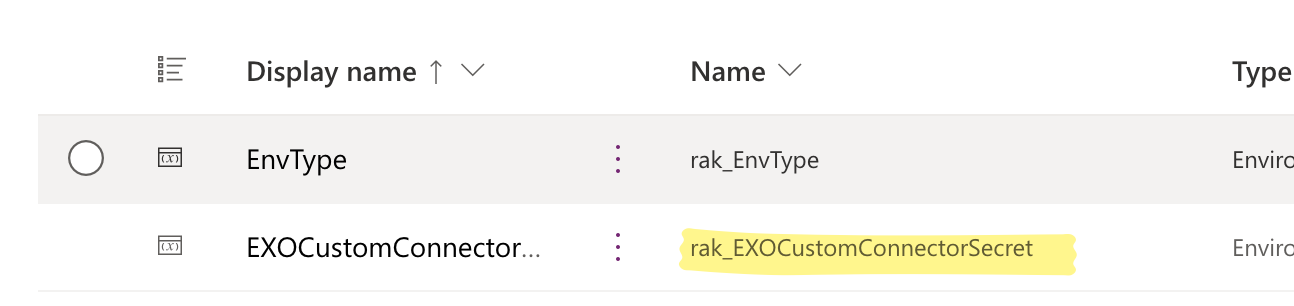
Just to double check things work, I went back to the connection based on the custom connector, and re-authenticated. That worked, which is a good sign… the secret works!
Next, I exported the solution as managed and imported into my production environment. The variable name appears:
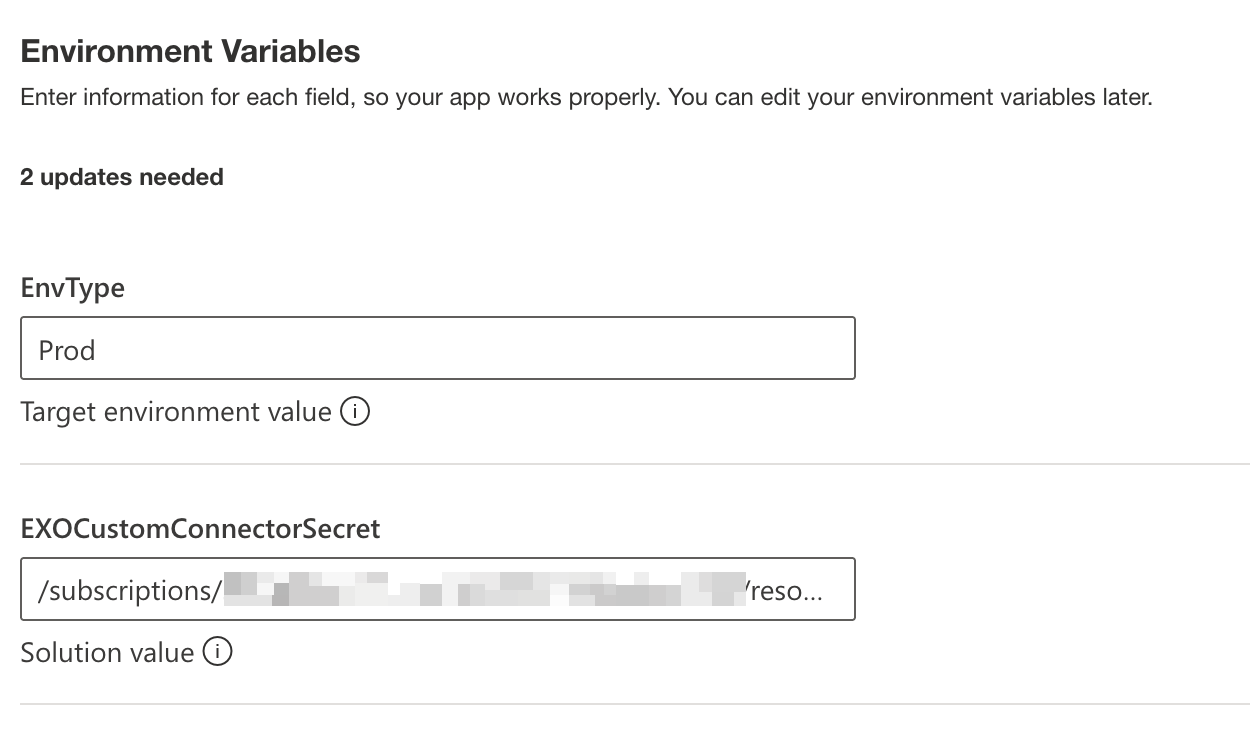
After importing I went back to the connection in the production environment and tried to re-authenticate. That too worked!
I was wondering how to really know that an exported solution custom connector actually has the secret or not. Sure, I saw the variable when importing, and I know it works coz the authentication worked in the production environment, but how else can I verify?
So I extracted the solution export from after I started using the environment variable for the secret and compare it with the export from before. I poked around and realized this file is what matters: Connector > xxxx_connectionparameters.json.
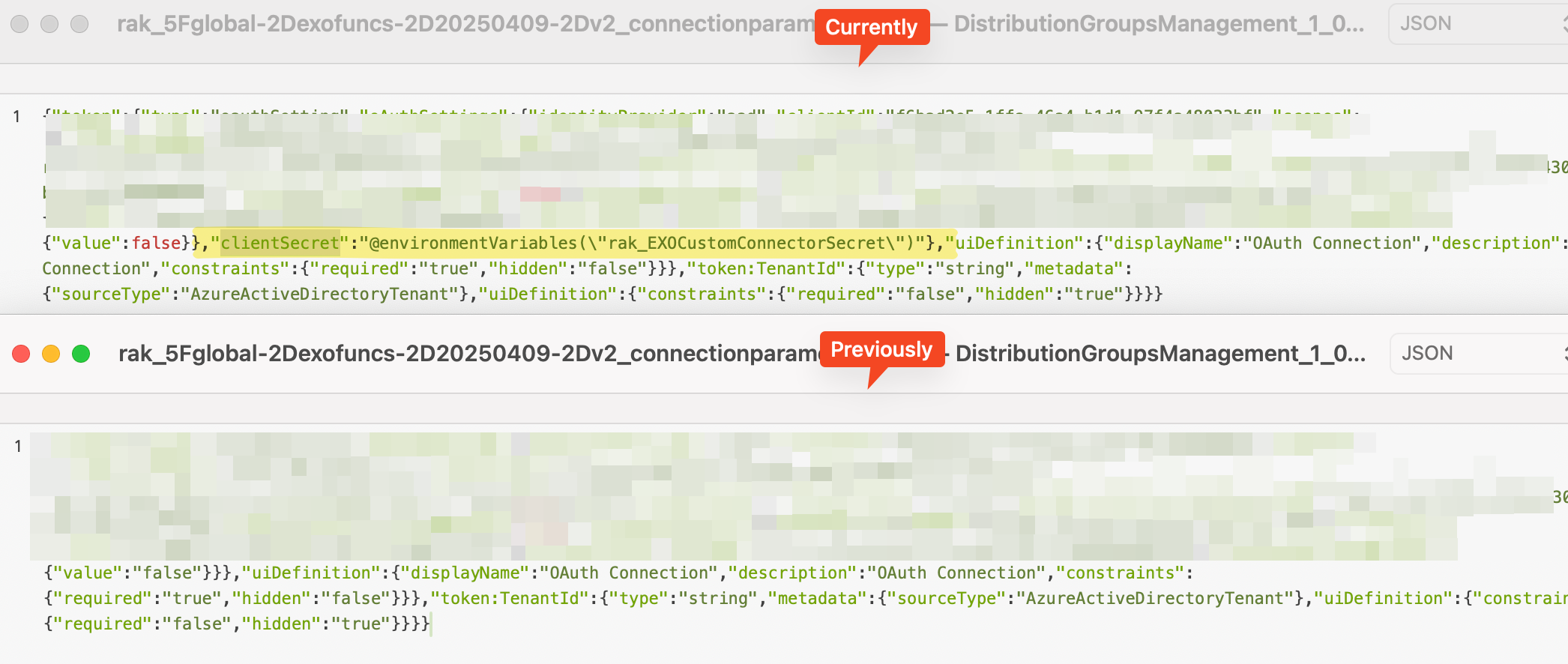
Cool, so that’s how to check. This means the secret points to the environment variable now, and since the variable was imported and set that explains why it works.
Some more advanced usage of this in ways that don’t make sense to me yet.