
Got a Power App. Which calls a Flow. The Flow is set to run with a different account – i.e. not the user running the Power App.
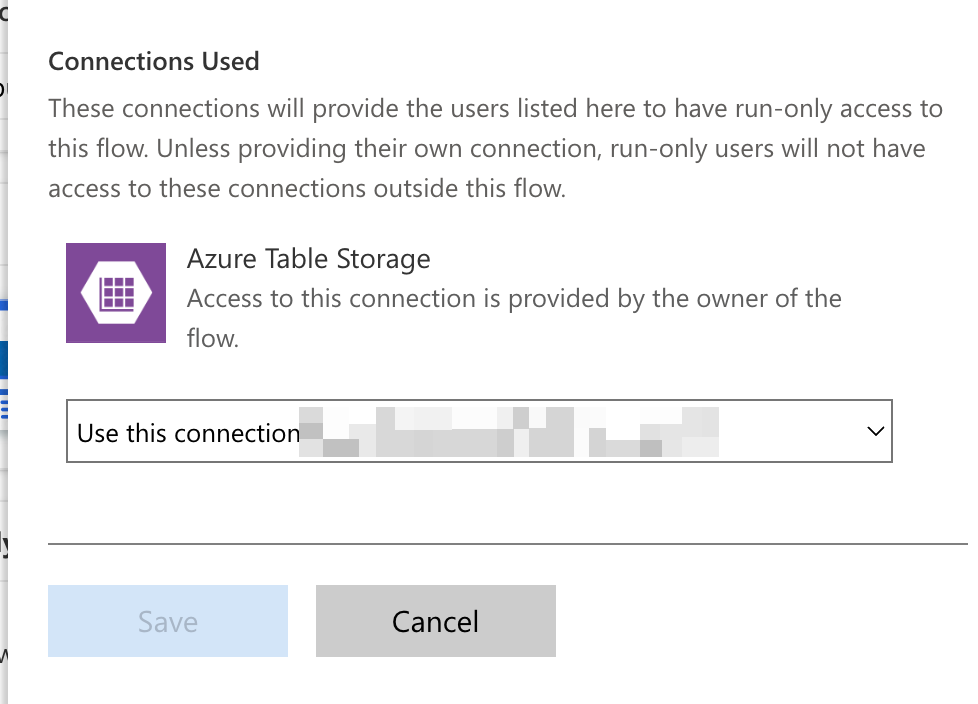
In my dev environment thing work fine, and when I launch the app with my own account and test account there’s no errors.
Then I exported it and imported to prod, and now my own account works fine but the test account gives an error. I didn’t capture the exact message, but the key part is this: Principal user is missing prvReadWorkflow privilege
I think this is because my own account is an Environment Maker in both environments, while the test account isn’t in the prod environment.
I assigned the Basic User role to the user coz I know from past experience that fixes this error (and I Googled and that too confirmed it).
Then I got a different error: user with id xxx does not have ReadAccess right(s) for record with id xxx of entity Process. Consider assigning a role with the required access level to the user or team. For further troubleshooting, please work with a system administrator to use the Access Checker tool...
Not really sure what to do here. So I made a copy of the Basic User role to see if it has something called Process. Sure enough, there was:
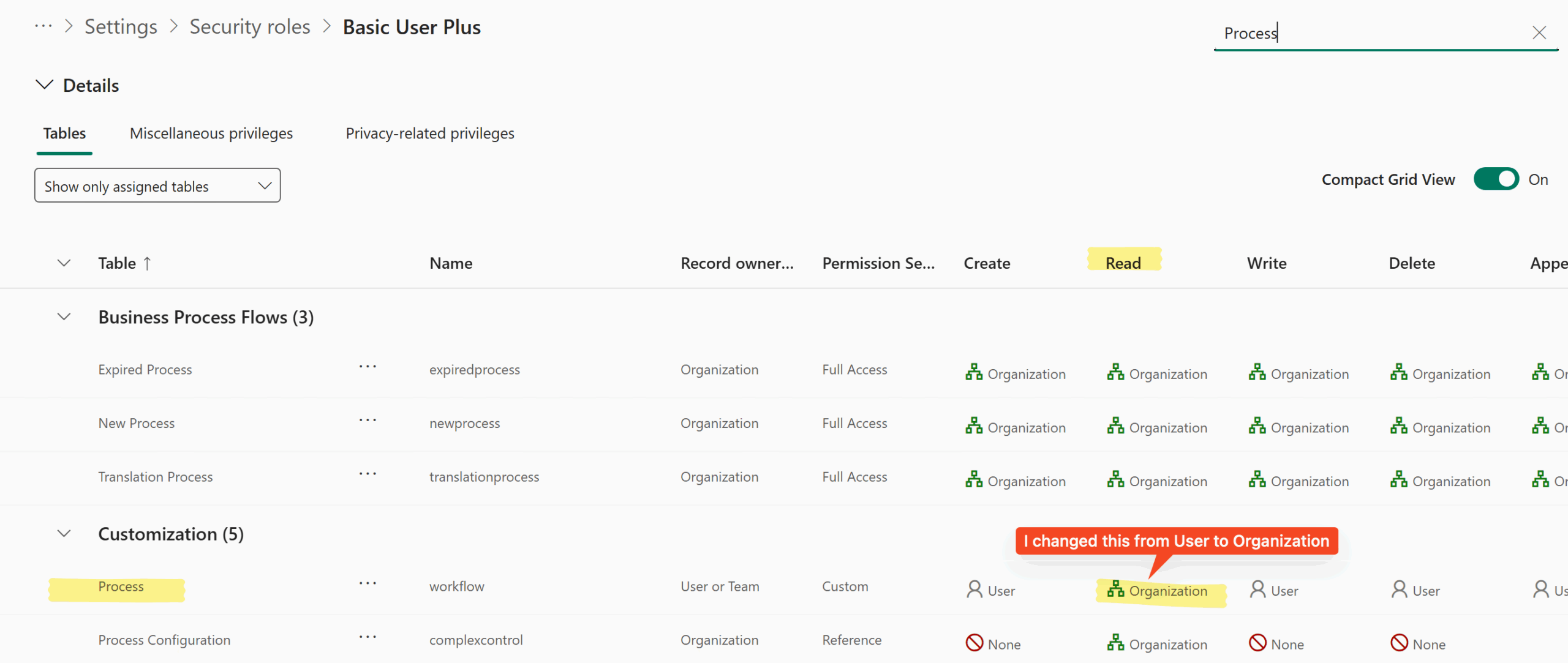
Under the Read column it was set to User, so I changed it to Organization (coz that’s what everything else seemed to be 😃) and assigned this role to the user instead of Basic User.
And that too worked! Yay.
I think Organization means the user holding the role can read the Process table for any records in the Organization, while User means only ones owned by the user.
Update:
Next day, for the same user I got a different error: … is missing prvReadSolution privilege (Id=b64e92c8-5d2a-4052-a026-1b73eff9cebf) on OTC=7103 for entity 'solutioncomponent' (LocalizedName='Solution Component')
So I modified the role and added this permission.
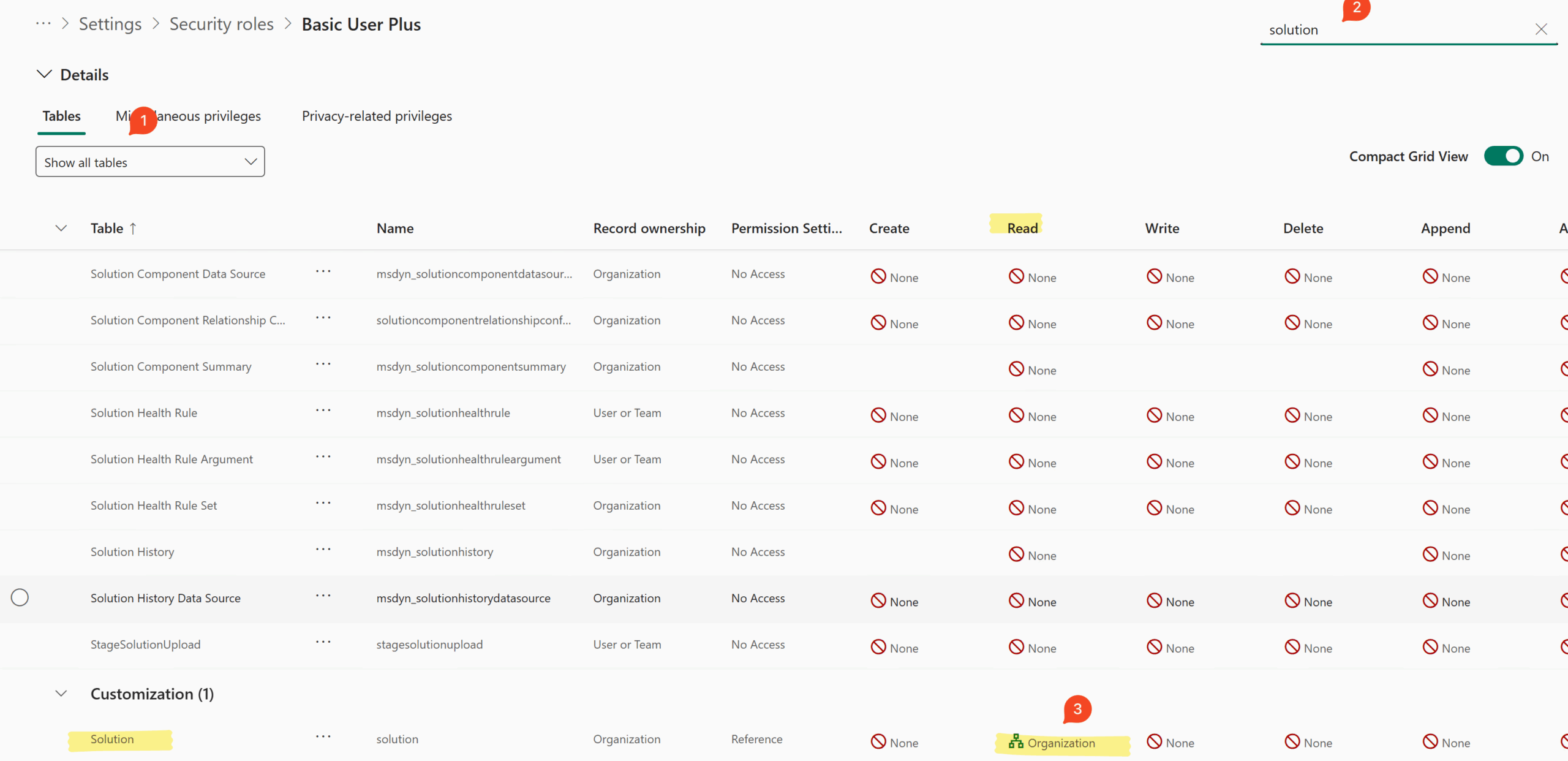
This must be a side effect of me reading the environment variables?