
In a similar vein to my previous post on calling an Azure Function from Freshservice Workflow Automator using OAuth2.0 authentication – here’s what I did for Logic Apps.
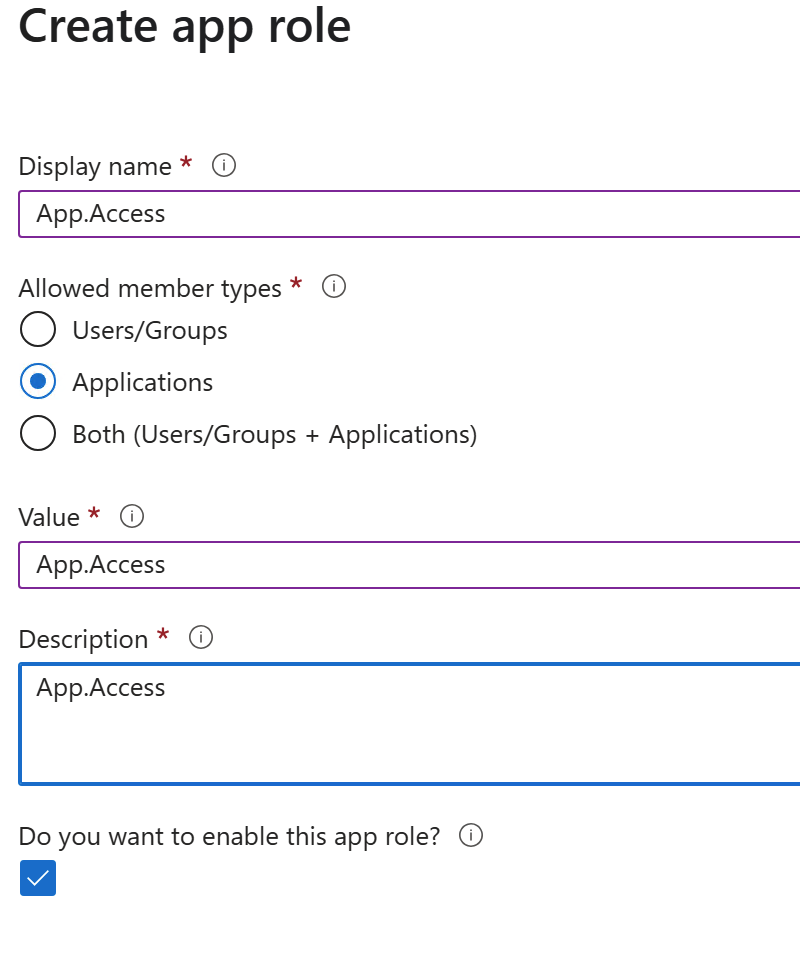
As before, I create an App Registration that represents the Logic App. This is a default App Registration but I add an app role like this (name doesn’t matter):
And under “Expose and API” I add the Application ID URI.

Note that URI, we need it later.
Then I created an App Registration representing Fresh. I have to create one per resource that must be accessed from Fresh, because you can’t request access to more than one resource.
This too is pretty much default, but I go to API permission and add permissions to first App Registration.
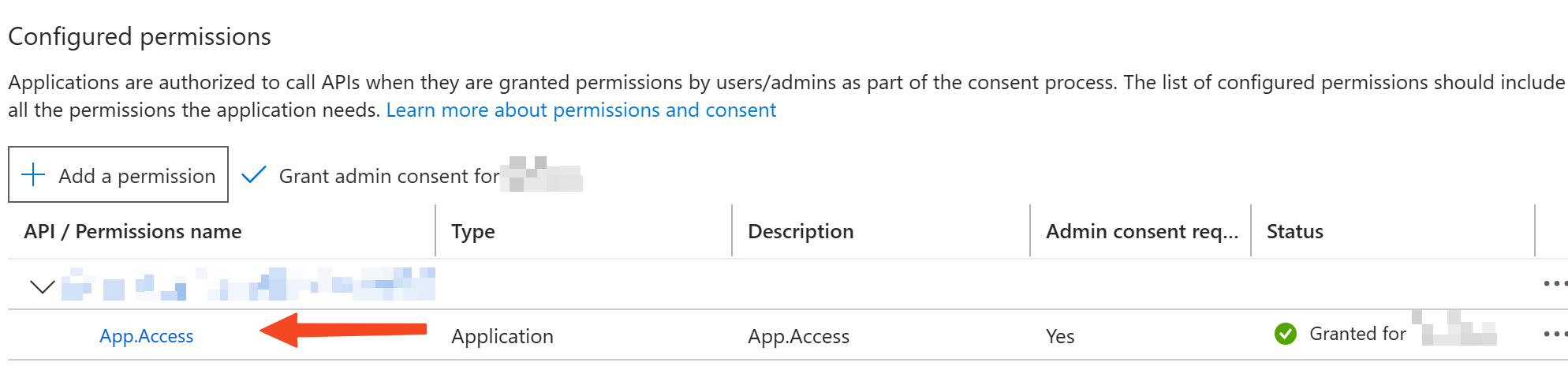
Generate a client secret for this App Registration.
In the Logic App, add an authorization policy.
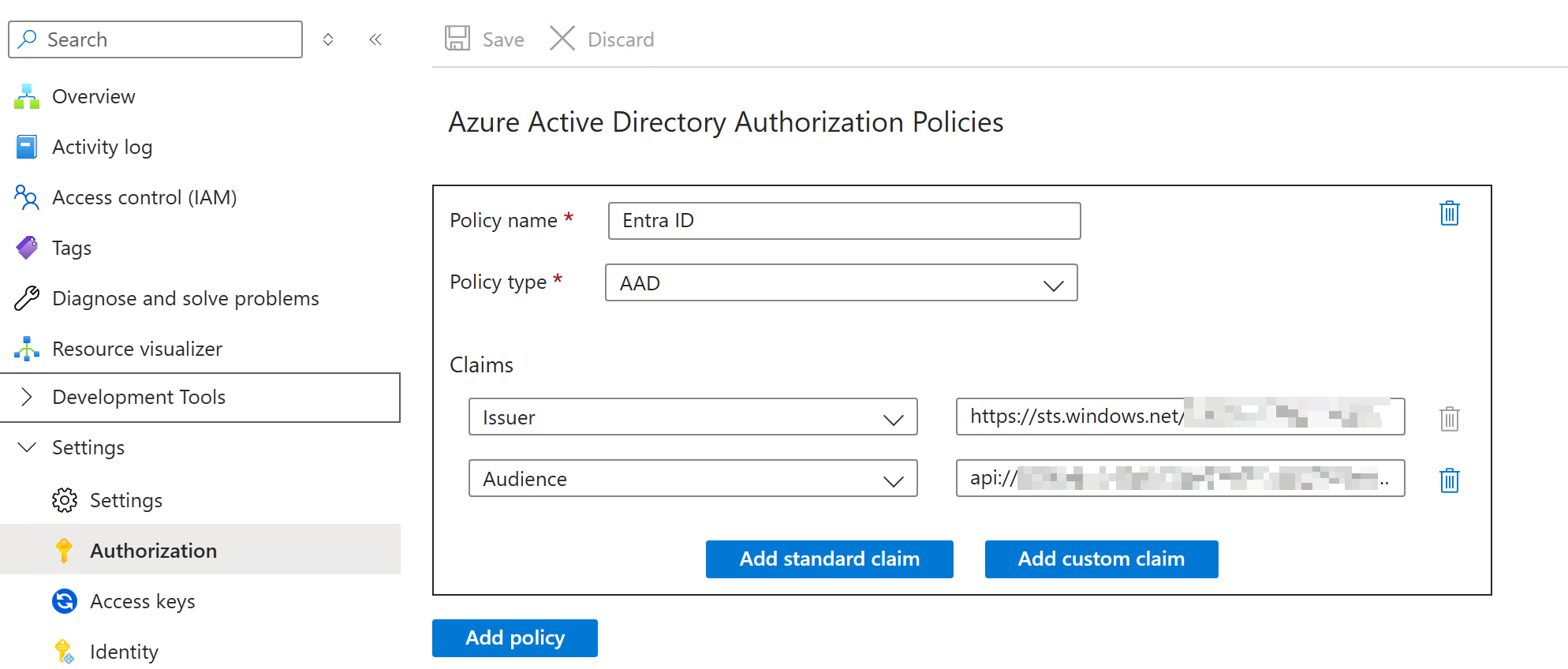
The issuer is of the format https://sts.windows.net/<tenant Id>/
The audience is optional. Skipping it means anyone accessing the Logic App must have a token issued by our tenant – so its open to anyone in the tenant. I didn’t want that, so I added an audience and set it as the Application ID URI noted earlier. What this says is anyone accessing the Logic App must have a token to that App ID URI – which the 2nd App Registration will have coz I granted it access to that API. 🙂
Now in Fresh, create a new credential.
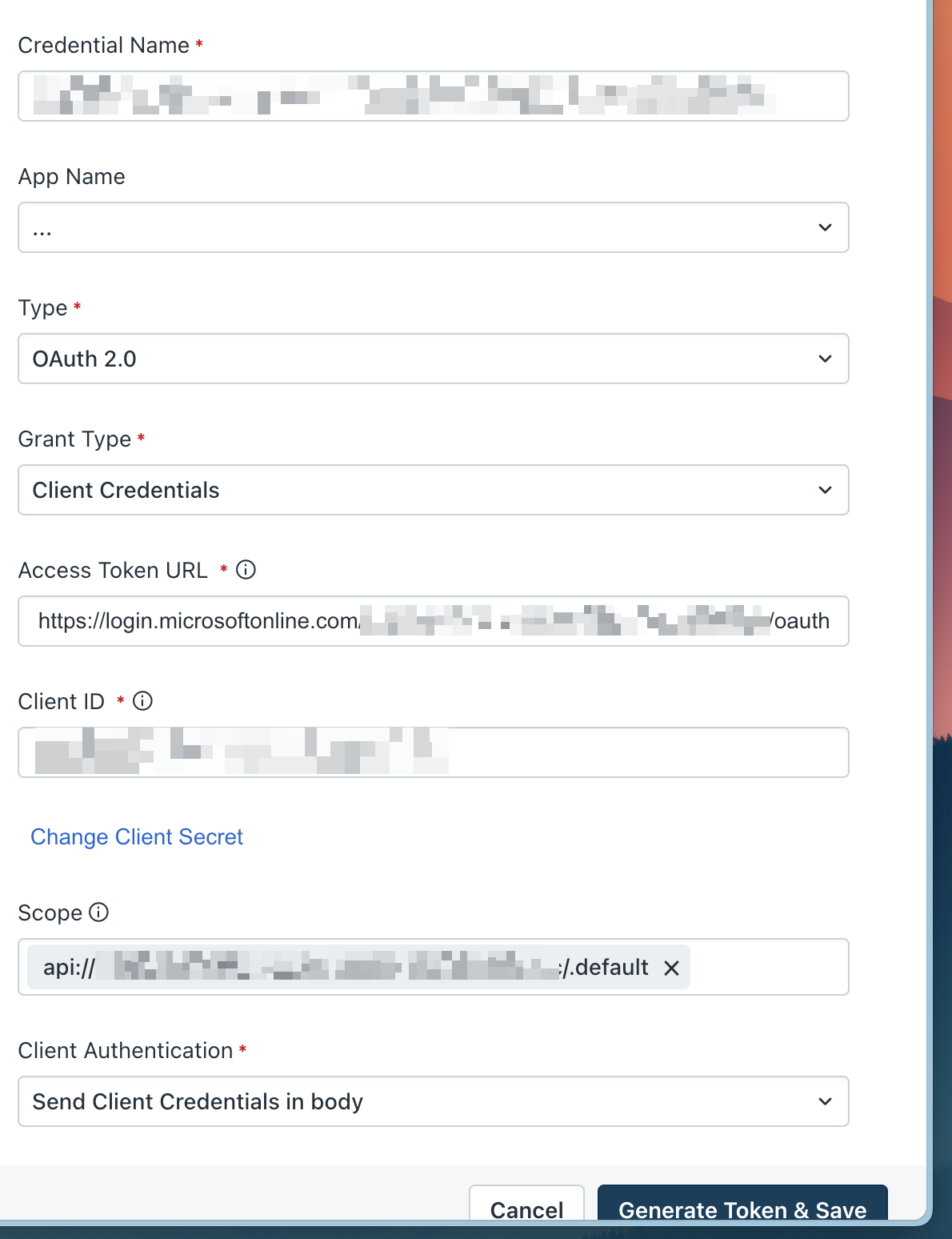
Access token URL is https://login.microsoftonline.com/<tenant Id>/oauth2/v2.0/token.
Client ID is that of the 2nd app registration (representing Fresh).
Scope is the App ID URI of the 1st app registration, followed by /.default. So it looks like app://<guid>/.default.
Rest are as in the screenshot. Add the client secret and click “Generate Token & Save” and that’s it!
Now this can be used to invoke the Logic App from Fresh.