
Such a niche issue! Wasted 3 hours of mine and a colleague’s life yesterday as we tried to get to the bottom of it. And another hour of mine today as I finally resolved it. Phew!
Here’s the issue. I have a Logic App (consumption based) in Canada Central location. It pushes out files to a storage account file share via the Azure File Storage connector. The Storage Account is limited to certain networks, so we have to add the Logic App IP addresses as an exception.
In the first instance, I had to push this to a storage account in the US location. And it worked perfectly! Then I had a request to push this to a storage account in the Canada location and try what we way I couldn’t connect to it! We added the IP addresses already present in the Logic App > Properties:
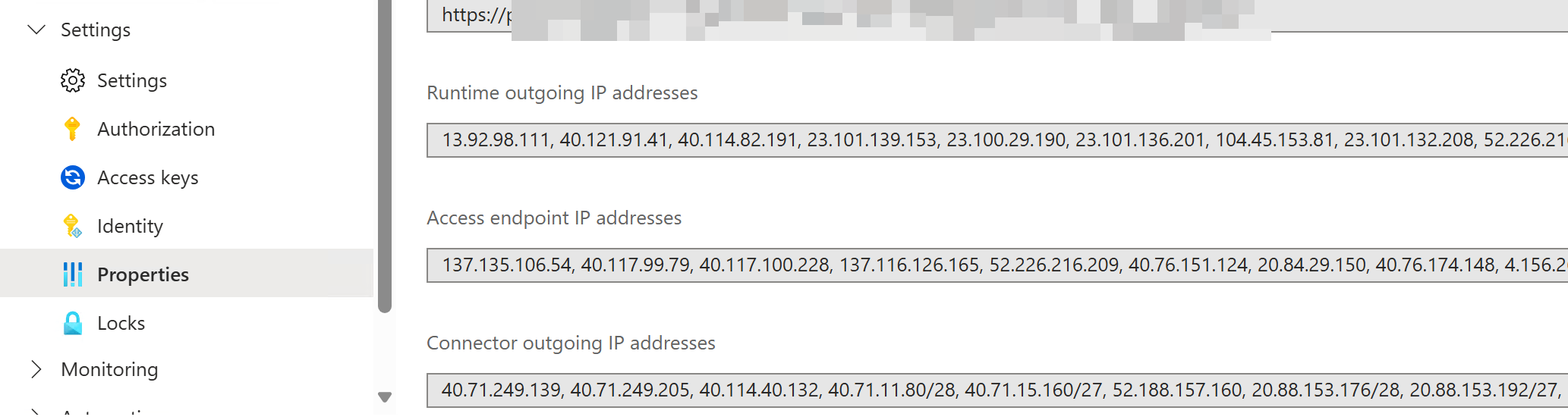
But no luck, the connection kept failing.
On the storage account side if we enable support for managed identities like this:

And I use the Blob Storage connector and get it to use the Logic App managed identity, things work. But unfortunately the Azure File Storage connector does not support managed identities, so that isn’t helpful. (And if I get the Blob Storage connector to use an access key, that too doesn’t work).
Re-reading the Logic Apps documentation, I finally came across this little nugget:
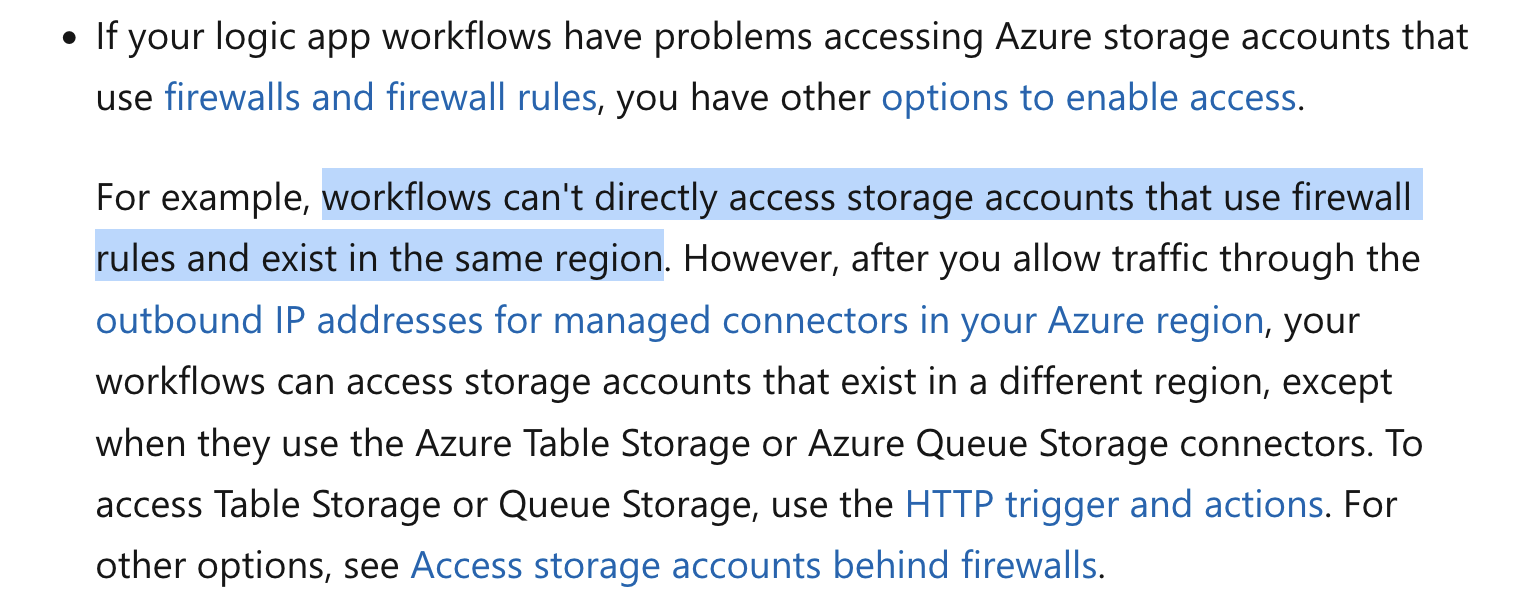
Huh. 🤔
So it sounds like if the Logic App and the Storage Account are both in the same region (like Canada Central in my case) the IP exceptions don’t work. Makes sense, come to think of it, because the traffic is internal after all – so the storage account won’t see the public IP of the traffic from the Logic App.
To test this I created a new Logic App in East US and tried – and now it works!
Rather than depend on the IP addresses on the Logic App itself, I downloaded the latest list from Microsoft.
Then I extracted the IP addresses of Logic Apps for the East US and East US2 regions from it.
|
1 |
(((Get-Content ./ServiceTags_Public_20250526.json | ConvertFrom-Json).values | Where-Object { $_.name -eq "AzureConnectors.EastUS" -or $_.name -eq "AzureConnectors.EastUS2" -or $_.name -eq "LogicApps.EastUS" -or $_.name -eq "LogicApps.EastUS2" }).properties.addressPrefixes | Where-Object { $_ -notmatch "::" }) -join "," |
I use the Azure Connectors and LogicApps tags based on this bit from the above link:
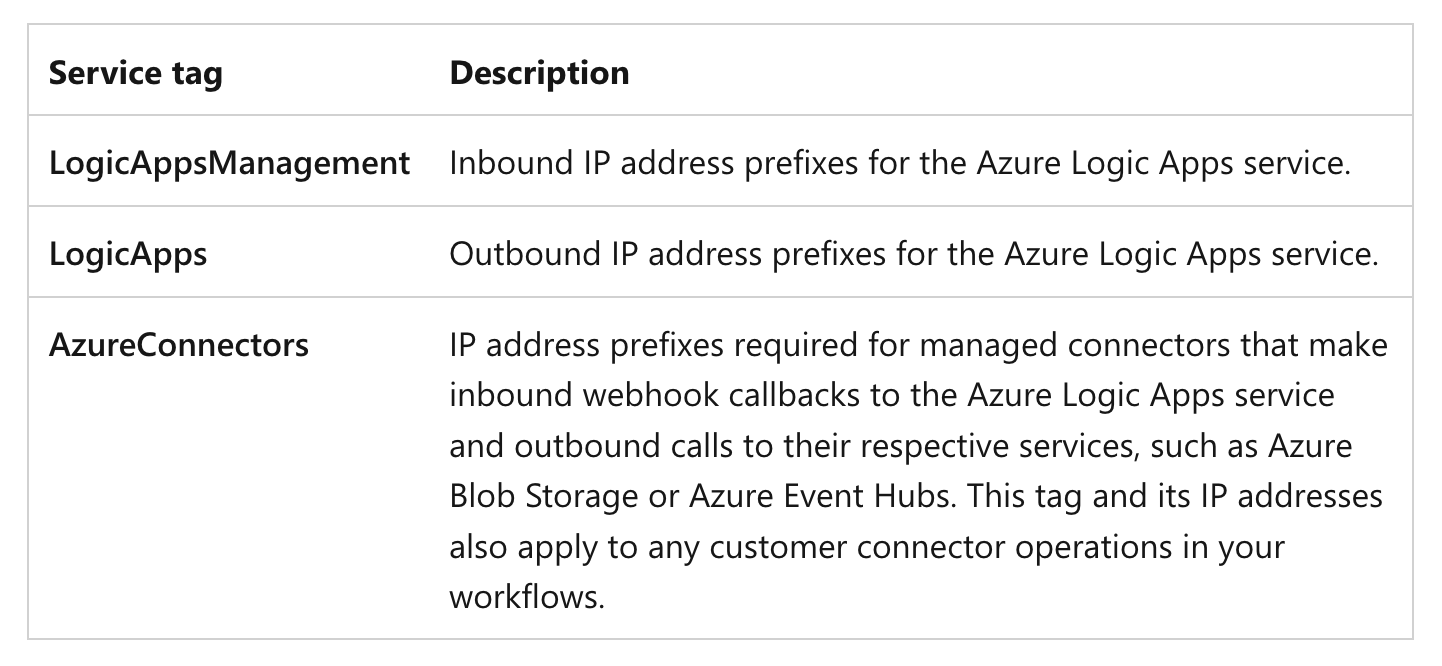
And I use both East US and East US2 coz I read somewhere in the same document that one must use both regions (in case of data center failures I assume).
After that adding them to the storage account is straight forward:
|
1 2 3 4 5 6 7 8 9 10 11 12 13 14 15 16 17 18 19 |
# The IPs from above $ipListNew = "13.92.98.111, 40.121.91.41, 40.114.82.191, 23.101.139.153, 23.100.29.190, 23.101.136.201, 104.45.153.81, 23.101.132.208, 52.226.216.197, 52.226.216.187, 40.76.151.25, 40.76.148.50, 20.84.29.29, 20.84.29.18, 40.76.174.83, 40.76.174.39, 4.156.27.7, 4.156.28.117, 4.156.25.188, 20.242.168.24, 4.156.241.165, 4.156.243.170, 4.156.242.49, 4.156.243.164, 52.224.145.30, 4.156.242.92, 4.156.243.172, 4.156.241.191, 4.156.241.47, 4.156.241.229, 4.156.242.12, 172.212.32.196, 40.71.249.139, 40.71.249.205, 40.114.40.132, 40.71.11.80/28, 40.71.15.160/27, 52.188.157.160, 20.88.153.176/28, 20.88.153.192/27, 52.151.221.184, 52.151.221.119" # Storage account details $resourceGroupName = "xx" $storageAccountName = "yyy" $networkRules = Get-AzStorageAccountNetworkRuleSet -ResourceGroupName $resourceGroupName -Name $storageAccountName # Add each IP to the rule set foreach ($ip in $ipListNew -split '\s*,\s*') { $ip2 = $ip -replace "\/32","" if ($networkRules.IpRules.IPAddressOrRange -notcontains $ip2) { $networkRules.IpRules += @{IPAddressOrRange="$ip2";Action="allow"} } } # Apply the updated rule set Update-AzStorageAccountNetworkRuleSet -ResourceGroupName $resourceGroupName -Name $storageAccountName -IPRule $networkRules.IpRules |
Learnt something new!